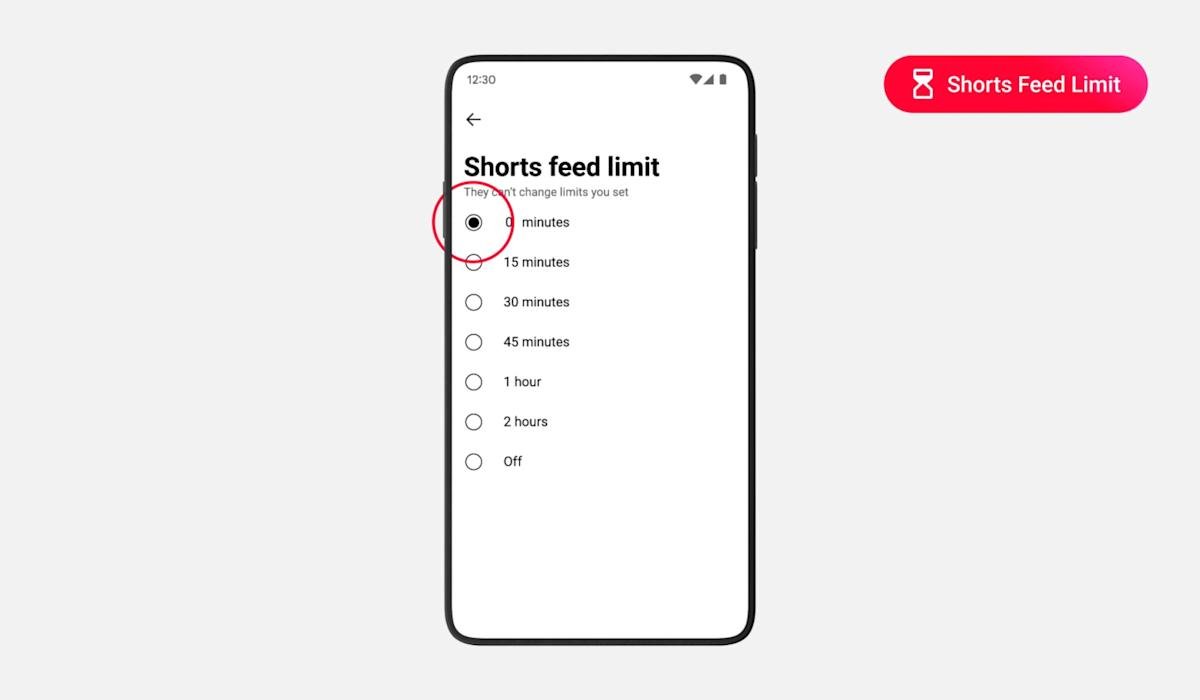
You now have the power to remove short-form videos from your YouTube feed if you don’t want to watch them. YouTube has introduced the ability to set your Shorts feed limit to zero minutes, which should help you stop doomscrolling, at least on mobile. The video-sharing platform originally introduced the Shorts feed limit in October last year, but the shortest option you could choose was 15 minutes. Once the 15 minutes is up, you’ll get a pop-up reminding you to take a break.
Earlier this year, it integrated the feature with parental controls, allowing parents to set time limits for young users. YouTube then said that parents would soon see the option to set the timer to zero. Now, Shorts Timer is live not just for parents, but for all users. We can confirm that we now see the zero minutes option in our (adult) account and are able to activate it for ourselves. When you select it, you may see a notice saying “Scrolling has been stopped but you can still view individual shorts.” You may need to refresh your app before short-form videos disappear from your feed.
To be able to stop Stop Shorts from appearing in front of you, go to your Settings page in the YouTube app for mobile. Look at “Time Management” and scroll down to “Daily Limits”, where you can find the “Shorts Feed Limits” section. If you don’t want to get rid of shorts completely, you can choose any of the other options, with a maximum of two hours of time available.
<a href