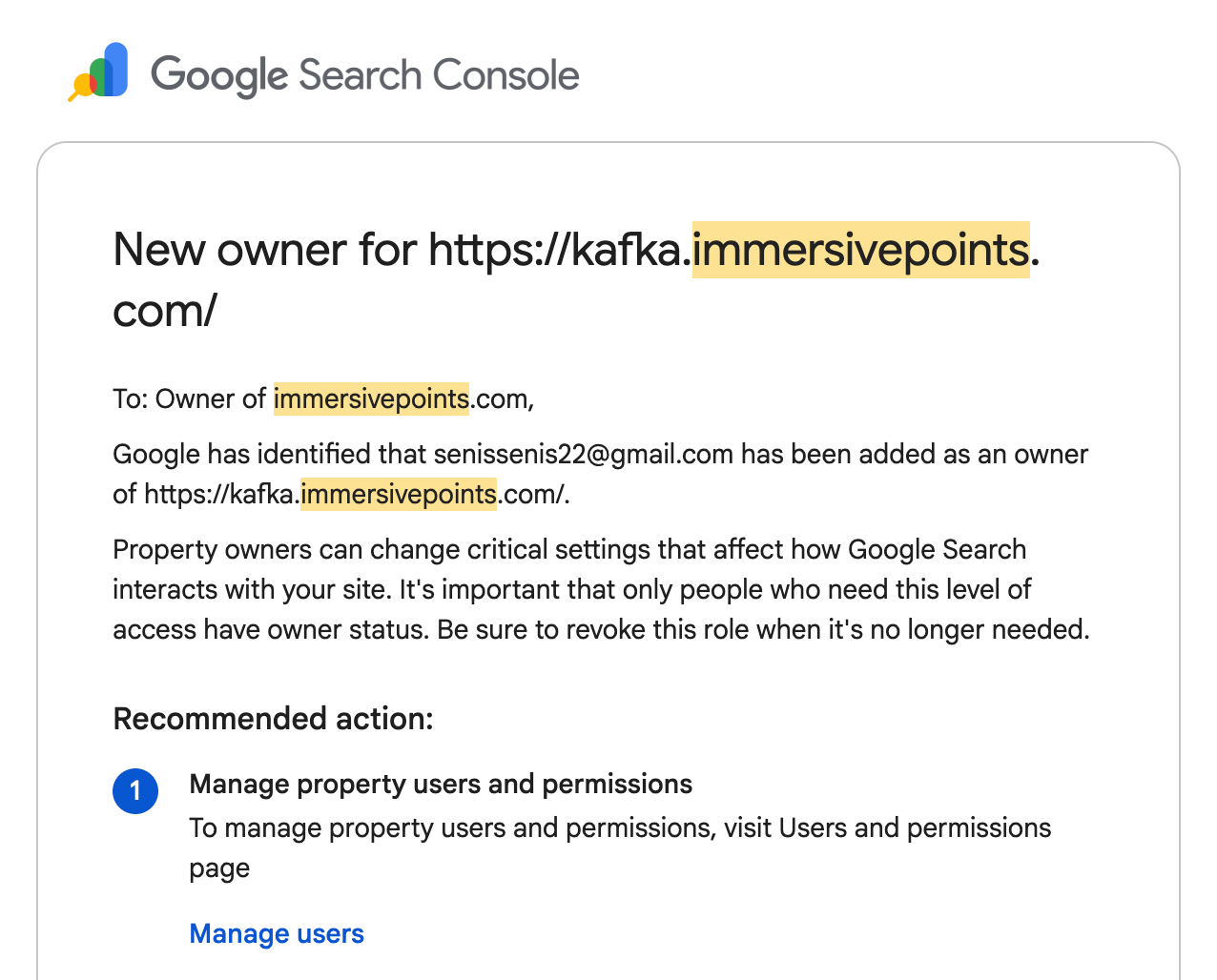
Strange… my immersivepoints.com domain is only used for a website hosted as GitHub Pages. The website is for my 3D and VR point cloud visualizer, which in practice is just a simple hosted HTML page. There is definitely no Kafka involved here, let alone the fact that I know the new owner of this subdomain.
Once I had access to a normal speed internet connection, I started researching. The first thing I did was check my DNS records, but initially nothing seemed wrong. I forwarded the domain to GitHub’s servers with wildcards to capture any subpages (like www.immersivepoints.com).
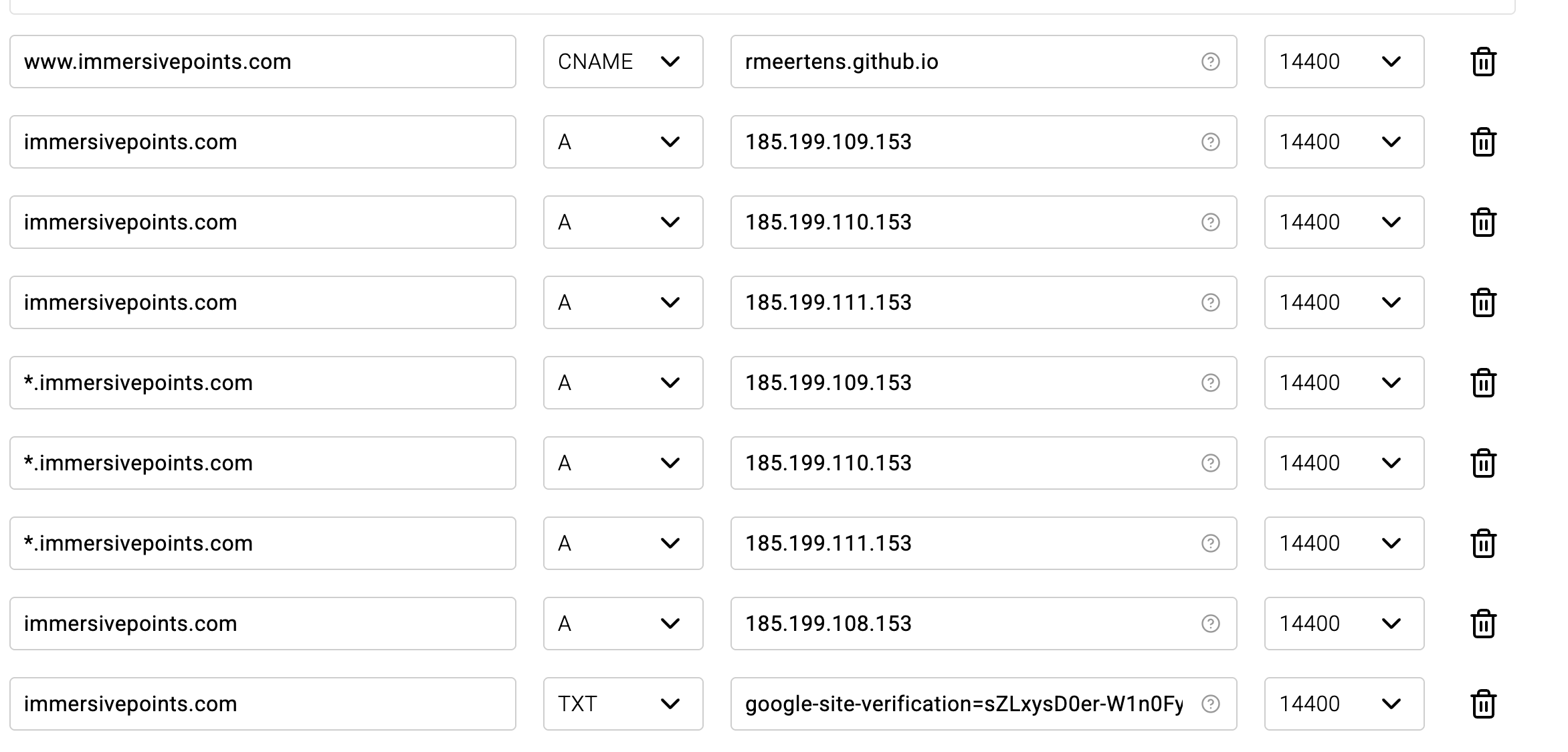
Unfortunately this was the problem…
GitHub Pages is an amazing feature of GitHub! This allows you to host a static webpage for your GitHub account, a repository, or just a cool project you want to show off! I use it a lot for my website and blog (including what you read here), and it enables you to show projects to friends quickly and easily without having to mess with separate servers (or even pay for hosting projects that no one uses).
Setting up GitHub Pages is easy: in your DNS record you point the IP to the domain where GitHub hosts your page. On your GitHub repository you configure the URL of your website (which ends up in your repository as a CNAME file). Typically you point a domain to these GitHub servers, and I assumed that only a GitHub user could ‘own’ a domain. That is: I assumed that only I could create a subpage for *.immersivepoints.com. I guess I was wrong.
It seems that GitHub always tries to resolve any domain, as long as there is a repository that contains this CNAME file. In this case someone installed kafka.immersivepoints.com. They also did it from a private GitHub repository, which means I can’t even mark that specific repository. Because my DNS settings forwarded everything on this domain to GitHub, anyone could use or abuse my domain.
This problem is not new, I have already found some tools (ironically, hosted on GitHub) that will help you find domains that are available for piracy! For example, this one: https://github.com/EdOverflow/can-i-take-over-xyz. In my case, I don’t know how long my domain has been abused in this way, and I never would have noticed if I hadn’t installed Google Search Console for myself last month. Finally I saw some more emails from Google Search Console – as I’ve been updating my blog over the past weeks I completely missed these anyway!
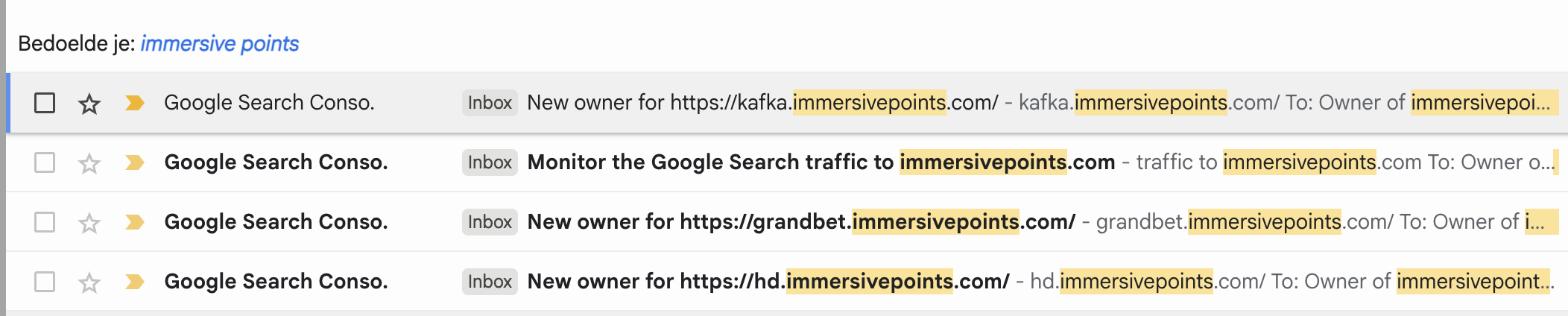
I hope no one falls victim to the undoubtedly shoddy slot machine scam sites that were hosted on my domain. Since Google already has issues indexing my blog and pages, I imagine many people may not have found these subdomains.

This brings me to the question “who is at fault here”. I guess I should have set up my DNS records better, but I didn’t have a good understanding of DNS records (and still don’t really understand them). Personally I think it would be nice if there was better verification from GitHub about who owns the domain, or which users are allowed to build on top of their subdomains. For example, if two different users want to use the same top-level domain, have the first user verify that the second user has permission to host GitHub Pages there. Another option could be to add a specific TXT record on the DNS side for each GitHub user that is allowed to use your subdomain. I’m not sure how big this scam is, but any help helps!
Last but not least, I reported the pages to GitHub, and hope the account hosting them gets banned! I haven’t heard anything back yet.
post Scriptum
After writing this blog I double-checked the GitHub custom domain. I found that you can verify a domain for your user site: https://docs.github.com/en/pages/configuring-a-custom-domain-for-your-github-pages-site/verifying-your-custom-domain-for-github-pages. I hadn’t seen this feature before, and correcting the setting is something that’s part of your account settings rather than your repository settings. I think if GitHub detects that you haven’t verified your domain, or if they think your DNS is configured incorrectly, GitHub could show a big flashing warning on the repository settings page.
<a href