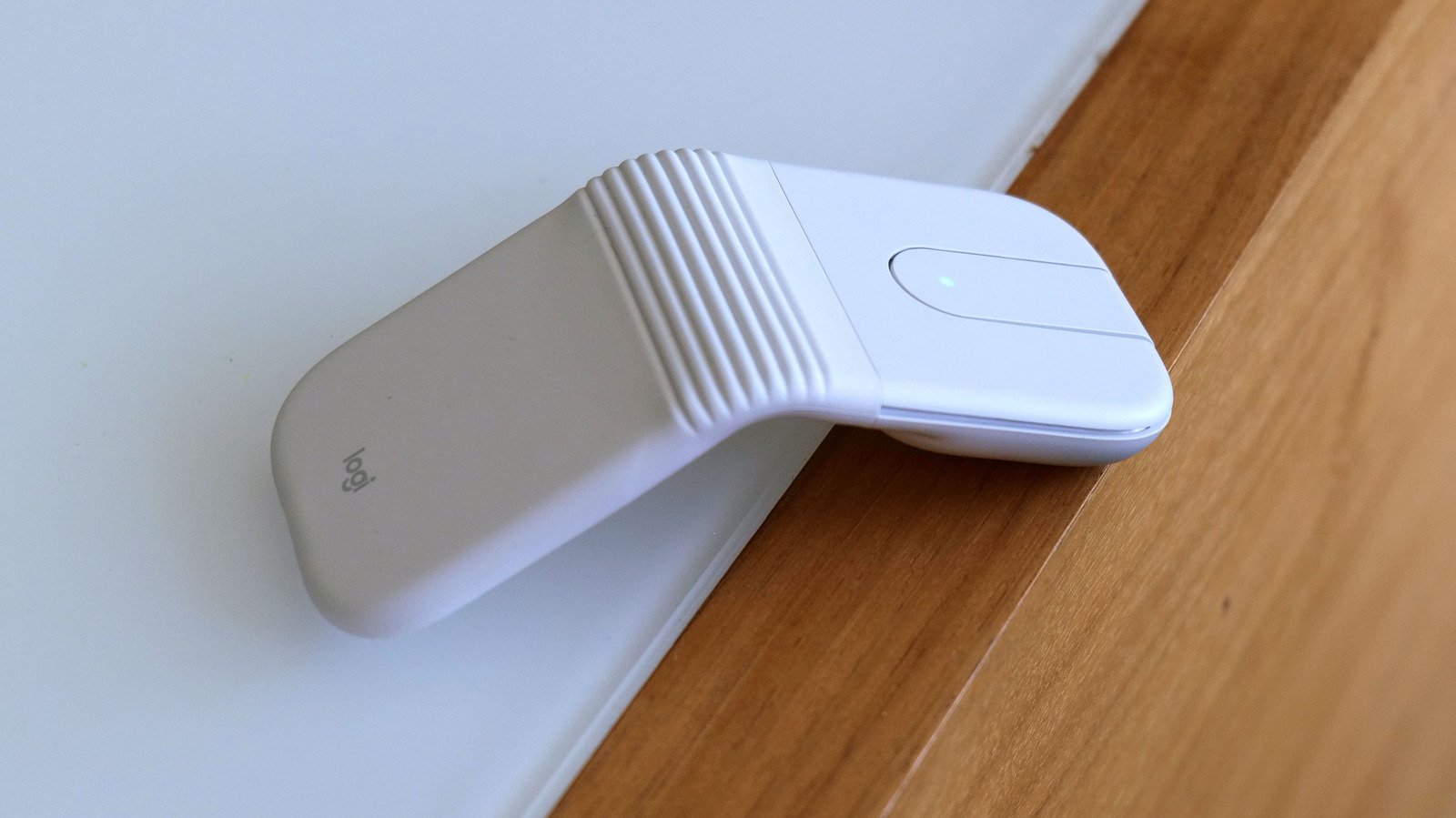
It’s similar to Microsoft’s Arc Mouse, but even smaller.
- super compact
- great battery life
- Turns off automatically when folded
- Supports three simultaneous Bluetooth connections
- a little expensive
- not very ergonomic
- USB receiver comes only with the Business model
Logitech makes some of the best productivity mice on the market. However, when it comes to super portable but still premium travel-friendly options, the selection is much more limited. You’re basically just looking at the MX Anywhere 3S. But with its latest mouse – the Mobi Fold – Logitech has created something lighter and more compact for those who need an accessory that goes beyond your typical laptop touchpad.
design
Fans of older Microsoft peripherals may notice many similarities between the Moby Fold and the Arc mouse line, as Logitech’s latest cursor looks like a modern spiritual successor to a family of gadgets that were arguably ahead of their time. For travel, the Moby Fold folds in half to become a tiny rectangle measuring 2.2 x 2.5 inches, less than an inch thick and weighing barely more than two ounces. It’s so small that it practically disappears in a bag and can be easily slipped into a pocket, even if you’re limited by the awkward little pockets often found on women’s pants.
When you want to get some work done, you can simply unfold the mouse, set it on a table and get straight back to clicking, highlighting and pointing. The Moby Fold has physical left and right mouse buttons that are wetted so pressing them won’t distract nearby coworkers. In the middle, there’s a small touchpad that acts as your mousewheel, allowing you to scroll quickly and accurately through long documents and websites. You can also press down on the touchpad to get a middle mouse click (or scroll wheel click depending on what you call it). And if you want to customize what any of these buttons do, you can always change their behavior inside Logitech’s free Options+ companion app.
On the bottom, there’s a button to pair the Mobi Fold Over Bluetooth with three different devices at the same time, as well as a convenient indicator light to let you know which device is currently selected. There’s a cutout for the mouse’s sensors, a USB-C port for charging on the back, and some built-in feet to ensure the Moby Fold glides smoothly on all types of surfaces.
in use
Using the Mobi Fold really couldn’t be easier. Once you connect it to the laptop, opening and closing it automatically turns it on and off, so you never have to face accidental clicks while in transit. And although it may seem a little strange to those who are used to more traditional brewing, everything behaves as you would expect.
That said, if I’m being really critical, the Mobi Fold’s geometric design isn’t the most comfortable thing in the world. I really like the little bounce you get when you press down on its hinge. However, because there is a large gap in the middle, there is really no room to rest your thumb or ring finger/pinky fingers. Then, because the Moby Fold is basically a tent-shaped rectangle, it’s completely ambidextrous, which is good for lefties.
Finally, while you can adjust the sensitivity of the Mobi Fold’s touchpad, I noticed that scrolling isn’t as smooth as it would be with a proper physical wheel. But that’s just the price you pay for a super compact design. And make no mistake, it’s still just as good, if not better, than most laptop touchpads out there.
battery life
wrap up
I will admit that the Mobi Fold is for a specific type of laptop user who are never completely satisfied with their PC’s built-in touchpad and want a super compact and lightweight option for travel. But as someone who grew up in a world before trackpads became standard equipment, I completely understand it. I’m faster and more productive when using a physical mouse and I’m willing to take it with me as long as it doesn’t add too much weight to things. And with the Mobi Fold, Logitech has created one of the most travel-friendly pointers on the market.
The main hurdle against it is its price, which, at $80, may put it out of reach for some people. It’s also not the most ergonomic thing to use, as its design is more focused on portability than enjoyment. Meanwhile, if you want the convenience of using a dedicated wireless dongle instead of relying solely on Bluetooth, you’ll have to pay an extra $10 for the Business model. But perhaps the biggest issue is that the MX Anywhere 3S still exists. Sure, it costs $90 instead of $80. But it has longer battery life, three extra buttons, a really excellent physical scroll wheel with Logitech’s MagSpeed technology and it’s more comfortable to use. Plus, it’s not that big. However, if you place a big premium on maximum portability, the Mobi Fold may be the ultra compact companion for you.
<a href