Performance was consistently good throughout my home, with some of the fastest speeds I’ve recorded at close and medium distances. My top choice, the Orbi 770 series, outperformed the BE67 in some scenarios. By default, the 6-GHz band is a separate SSID named _6GHz, and MLO is turned off. I connected with my Pixel 10 Pro XL, and after several speed tests at close range (up to 8 feet away), I generally got about 100Mbps faster download speeds than on the 5-GHz band, but that dropped off rapidly with distance. 6 GHz has a much shorter range, and in just one room, the signal strength was markedly weaker than 5 GHz. If you want to take advantage of 6 GHz for wireless backhaul, you can’t place the router too far or with too many obstacles, otherwise you will have dead zones. I don’t think the coverage is as extensive as TP-Link suggests, although a lot depends on your home; The Orbi 770 offered slightly better range for me.
Disappointingly, HomeShield’s free tier offers only limited protection, and Security+ for web and intrusion protection with notifications and reports costs $5 per month or $36 per year, while Total Protection costs $70 per year for the first year ($130 per year after that) and adds antivirus for devices, VPN service, and a password manager. Advanced parental controls require a second subscription costing $3 per month or $18 per year for time limits, downtime scheduling, rewards, app time limits, secure search, insights, and reports. Quality of Service allows you to prioritize specific devices and set bandwidth allowances. There’s also a mixed-mode security option for WPA2 and WPA3. You can also split the 2.4-GHz and 5-GHz bands and create guest or IoT networks.
The Deco app and web interface are solid but quite limited in terms of options. The app was able to identify multiple devices on my network, but it required me to share the data with a third party. There is now an option to run a speed test on the router to see what your ISP offers, which is handy. Ultimately, this three-pack gave me reliable and fast internet throughout my home and garden.

Deco App via Simon Hill

Deco App via Simon Hill

Deco App via Simon Hill
However, TP-Link has plenty of similar mesh systems, and I cover some of the options below. In terms of performance and price, the BE67 falls between the BE63 and the flagship BE85, and I think it’s the sweet spot in TP-Link’s line-up for most people. The Deco BE68 is the same system as the BE67, but exclusive to Best Buy.
Best Wi-Fi 6 Mesh
-

Photograph: Simon Hill
-

Photograph: Simon Hill
-

Photograph: Simon Hill
wired
- Excellent Wi-Fi 6 performance
- liberal port
- Subscription-free security software and parental controls
tired
- Setup and configuration can be absurd
- Firmware sometimes malfunctions
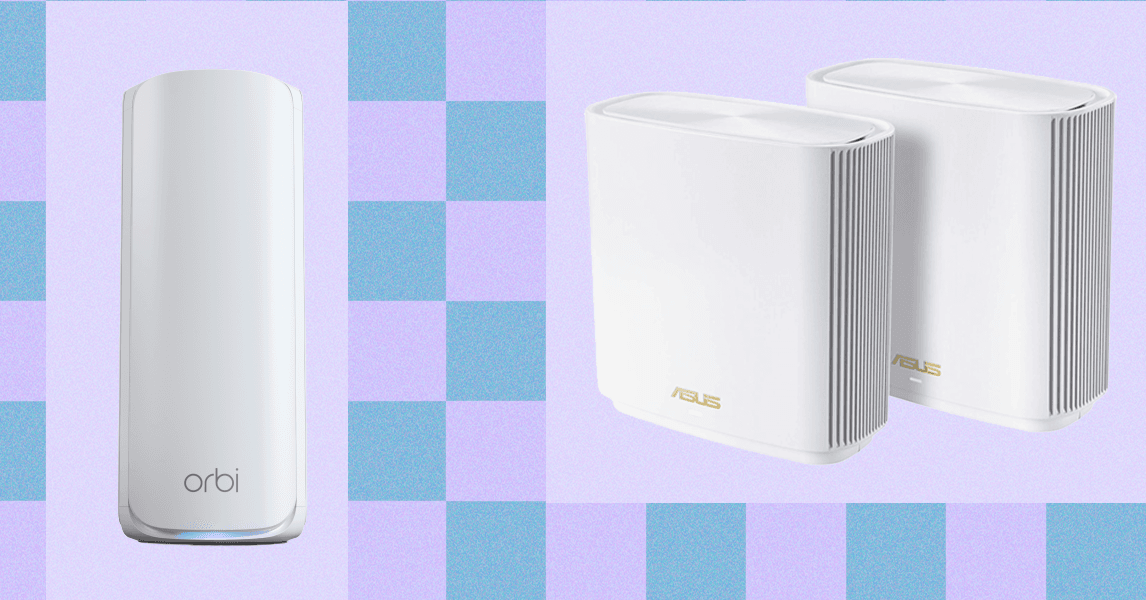
The combination of fast performance, impressive range, and many additional features earns the Asus ZenWiFi XT8 the title of best Wi-Fi 6 mesh system. (Even if it’s a bit of a mouthful.) I tested the two-pack, and setup took a few minutes straight through the mobile app, though you have to hold the node close during setup and then move it. It is a tri-band Wi-Fi 6 system with one 2.4-GHz band and two 5-GHz bands (one is reserved for wireless backhaul). Available in black or white, these units are quite large, but they’re unobtrusive and look classy, with side vents to help dissipate heat. Each router offers Three There’s a Gigabit Ethernet port, which is generous, as well as a 2.5 Gigabit WAN port and a USB 3.1 port.
Over short, medium or long distances, the XT8 was consistently one of the fastest systems I’ve tested, and speeds never slowed down. The inclusion of AIProtection Pro, which adds anti-malware and parental controls powered by Trend Micro, is very welcome, especially because unlike most competitors, it doesn’t require a subscription. Just remember that using AIProtect means sharing your data with Trend Micro, so you might want to read its privacy policy. I also like the parental controls. You can set up and reuse profiles, set bedtimes, filter by age group, and review activity. The Quality of Service (QoS) option lets you prioritize activities like working from home, gaming or streaming, and you can limit bandwidth for specific devices.
<a href