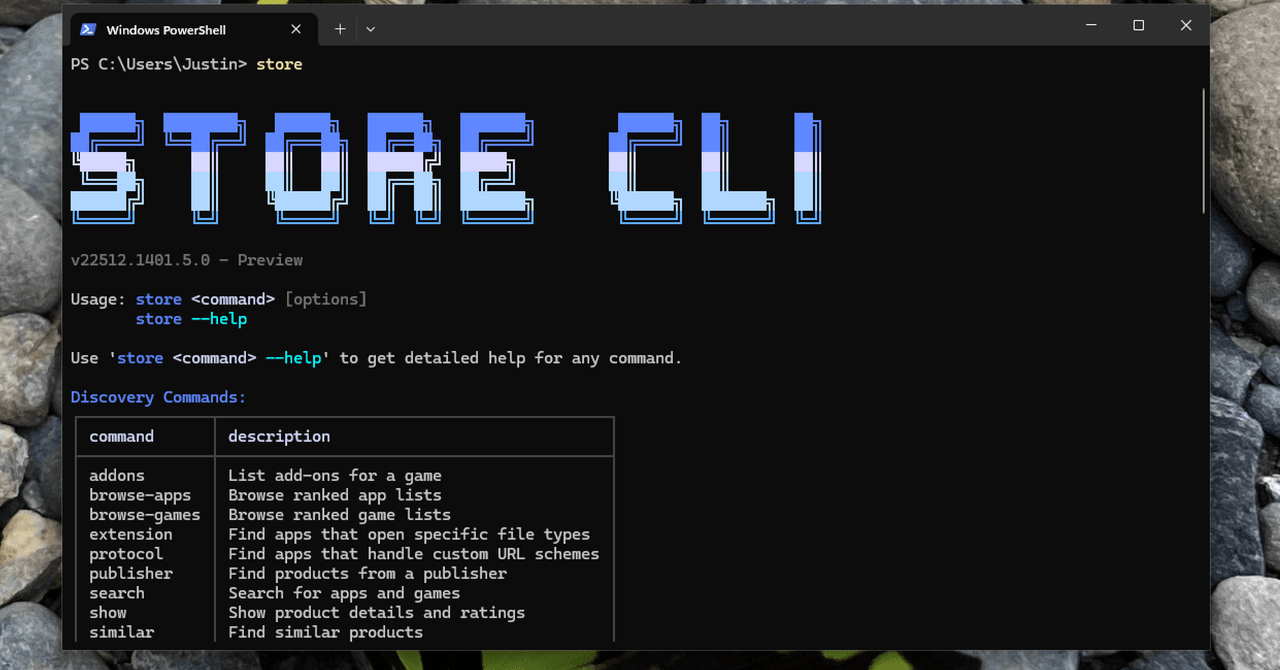
Last week Microsoft announced a brand new command line interface for the Microsoft Store, which you can access right now by opening up PowerShell and typing “store.” If the command doesn’t work, make sure you’ve run all current Windows 11 updates.
If it works, you’ll see a cute piece of ASCII art with a list of sub-commands. It tells you how you can search for, install, and even update software with just a few keystrokes.
Linux users are accustomed to installing software from the command line, and Mac users know how to find third-party tools for the job, like MAS for the Mac App Store. I can’t recall any mainstream commercial operating system that includes a way to browse and install software from commercial app stores using only commands.

Microsoft’s implementation is quite good. For example, you don’t need to know the exact name of an app to install something. While testing this new interface, I typed “store install firefox” not knowing if it would work or not. The tool searched the Store, found the app most likely to match “Firefox”, told me the company that made it (Mozilla in this case), and asked if it was actually the one I wanted to install.
I can’t say enough how easy this makes installing software. Similar services I’ve tested don’t work this way – you need to know the exact name used by the package manager otherwise you’ll get an error. It’s really great to see it executed so well.
It also has some negative aspects. The tool can only install applications offered in the Microsoft Store, which is naturally limited. Some extremely popular apps, including Google Chrome and Paint.NET, are no longer available this way. But there are a lot of applications, and you may not know what is in them and what is not. You can type “store search” and then type a query to find stores. You can get more details by typing “store show” followed by the name of the app to read more about it.
You can also browse the Microsoft Store. The command “store browse-apps” will tell you some categories you can look into, including bestseller lists. Overall, these commands allow you to do everything you can do in the Microsoft Store, but faster.
<a href