But why do some websites load several megabytes of HTML code? Usually it is not that there is a lot of content on the page, but rather that there are other types of resources embedded within the document.
In this article, we’ll look at examples of large HTML documents on the web and take a peek into the code to see what makes them so big.
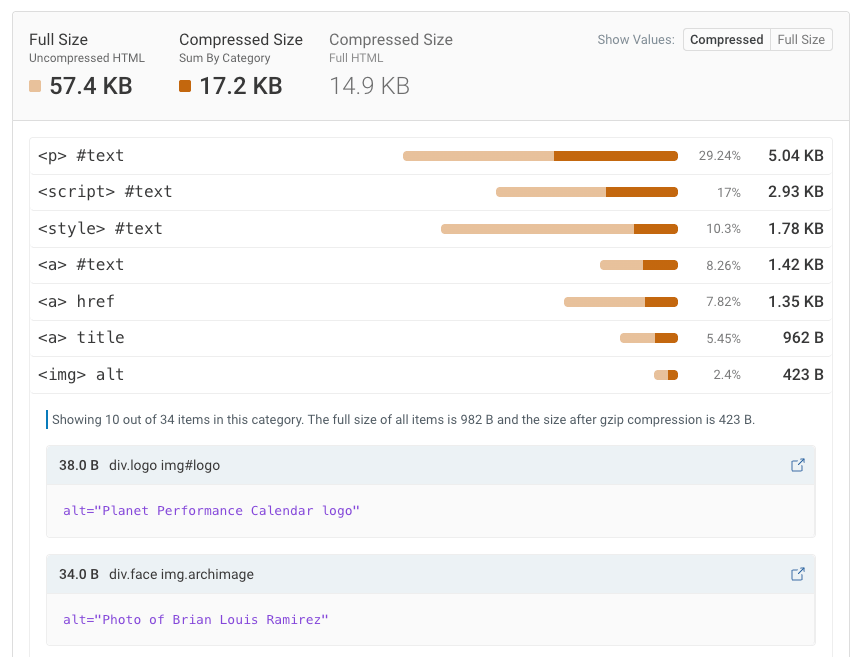
HTML on the web is full of surprises. In the process of writing this article I rebuilt most of the DebugBear HTML size analyzer. If your HTML contains scripts that contain JSON, that contain HTML that contain CSS, that contain images – it’s now supported!
embedded images
Base64 encoding is a way to convert images to text, so that they can be embedded in a text file such as HTML or CSS. There is a major advantage to embedding images directly into HTML: the browser no longer needs to make a separate request to display the image.
However, this is likely to cause problems for larger files. For example, the image can no longer be cached independently, and the image will be given the same priority as the document content, whereas it is usually fine to load images later.
Here is an example of PNG files that are embedded in HTML using data URLs. 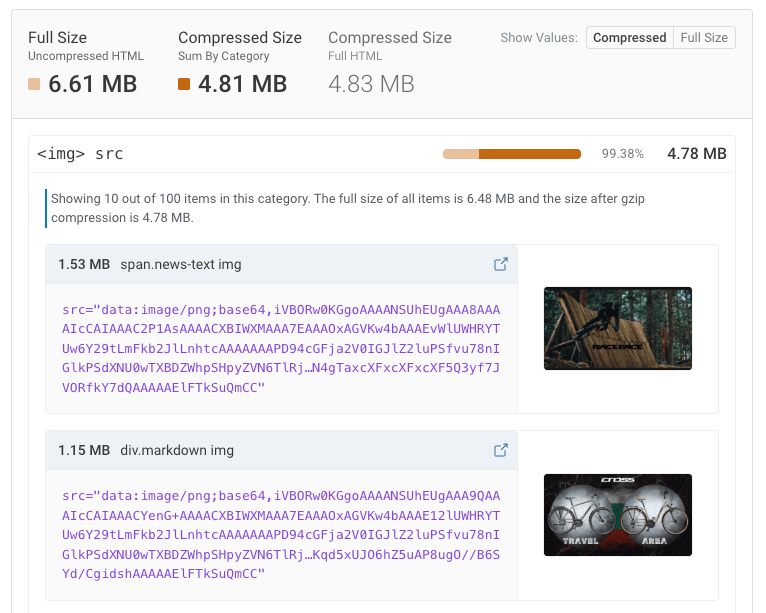
There are different variations of this pattern:
- Sometimes it’s a single multi-megabyte image that was included by mistake, sometimes there are hundreds of small icons that added up over time.
- I saw a site using responsive images with data URLs. One goal of responsive images is to only load images at the minimum required resolution, but embedding all versions in HTML has the opposite effect.
- Indirectly embedded images:
- Inline SVGs that are themselves a thin wrapper around a PNG or JPEG
- Background images from inline CSS stylesheet
- Images within JSON data (more on that later 😬)
Here’s an example of a style tag that contains the 201 rule with embedded background images. 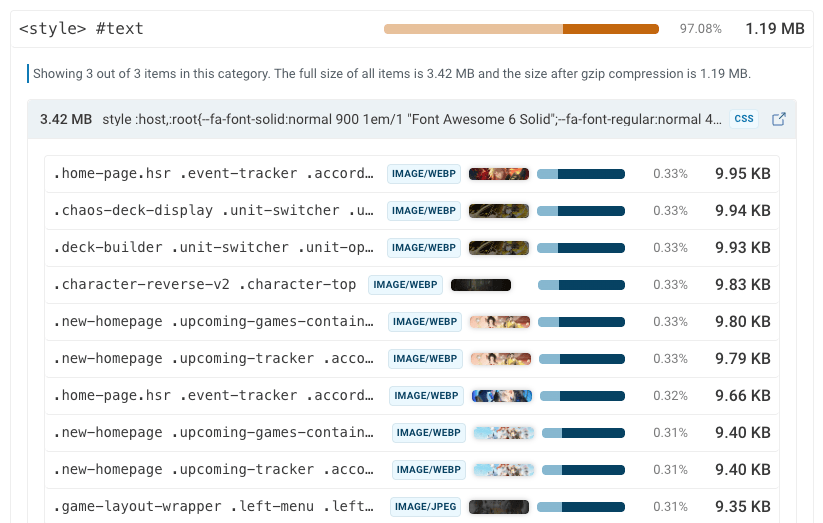
inline css
Large inline CSS is usually caused by images. However, long selectors from deeply nested CSS also contribute to CSS and HTML size.
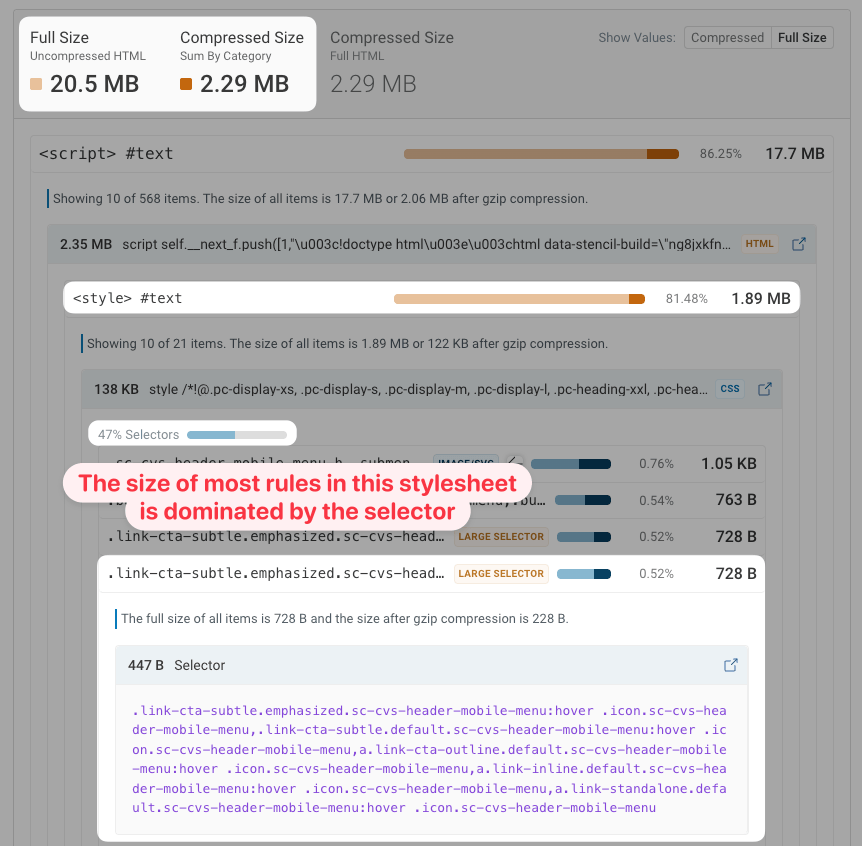
In the example below, the HTML contains 20 inline style tags with identical content (variations such as “header”, “header-mobile”, and “header-desktop”). Most selectors are over 200 characters long, and as a result 47% of the overall stylesheet content is composed of selectors rather than style declarations.
However, due to repetition within selectors the HTML compresses well, and after GZIP compression the size goes from 20.5 megabytes to only 2.3 megabytes.
embedded font
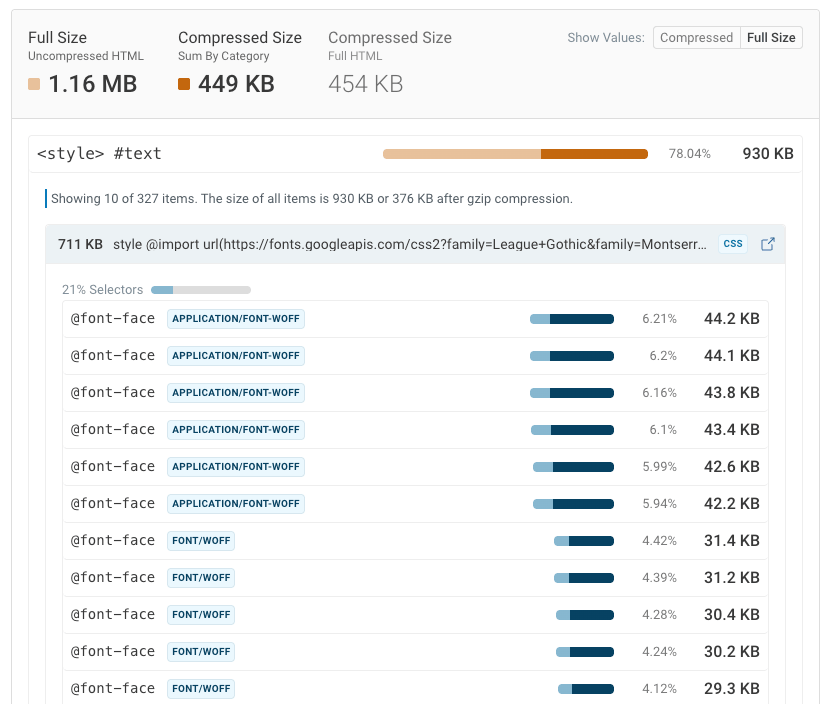
Like images, fonts are also sometimes encoded as Base64. This can work really well for one or two small fonts, as the text can be immediately rendered with the proper font.
However, when multiple fonts are embedded, this means that visitors must wait for these fonts to be downloaded before the page content is rendered.
client-side application state
Many modern websites are built as JavaScript applications. Showing content will be slow only after all the JavaScript and necessary data has been loaded, so the HTML is also rendered to the server during the initial page load.
Once the client-side application code is loaded, the static HTML is “hydrated”: the page content is made interactive with JavaScript, and the client-side code takes control of future content updates.
Typically the client-side code makes a fetch request to an API endpoint on the backend to load the required data. But, since the initial client-side render requires the same data as the server-side rendering process, servers embed the hydration state in the final HTML. Then, client-side hydration can occur immediately after loading all the JavaScript, without making any additional API requests.
As you can guess, this hydration phase can be huge! You can recognize it based on script tags that reference framework-specific keywords like this:
- next.js:
self.__next_f.pushOr__NEXT_DATA__ - next:
__NUXT_DATA__ - Redux:
__PRELOADED_STATE__ - Apollo:
__APOLLO_STATE__ - Angular:
ng-stateor similar __INITIAL_STATE__Or__INITIAL_DATA__In many custom setups
The size of the hydration phase may not be noticeable in local growth environments with little data. But as more data is added to the production database, the hydration status also increases. For example, a list of hotels references 3,561 different images (which, thankfully, are not embedded as base64 😅). 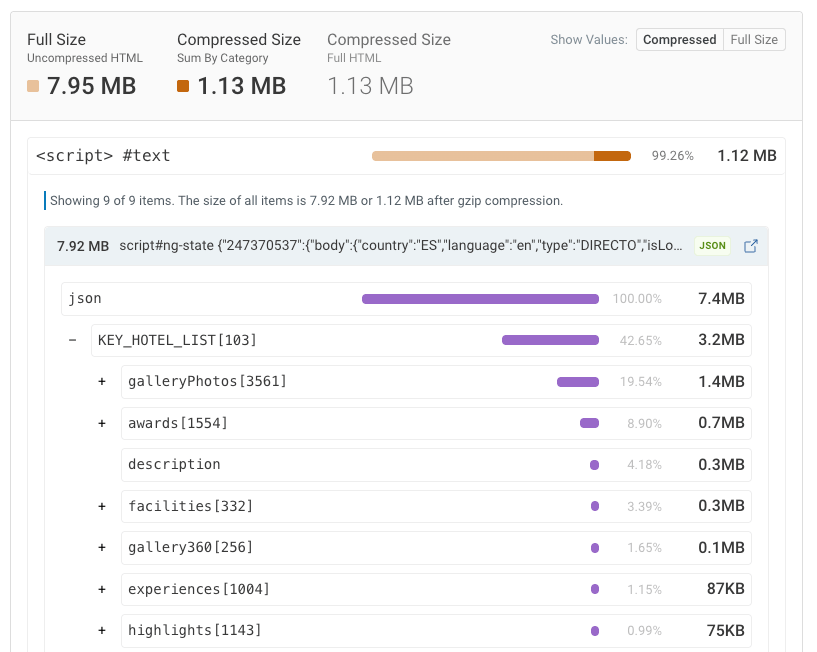
If you pass Base64 images to your front-end components, they will also end up in a hydration state.
This website contains 42 images embedded in JSON data inside an HTML document. The largest image size is 2.5 MB. 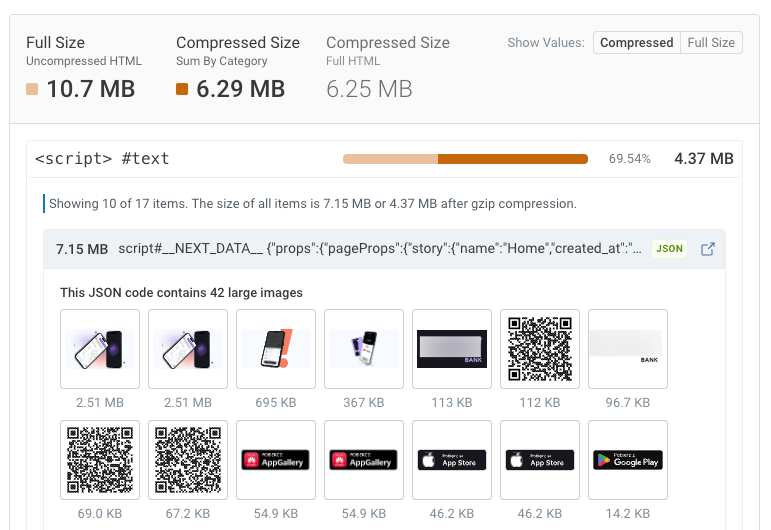
There is a surprising amount of nesting going on. In the previous example we have images in JSON in a script in HTML.
But we can go even deeper than that! Let’s look at our next example:

After digging into the hydration state, we get 52 products judgmeWidget Property. The value of this property is an HTML fragment itself!
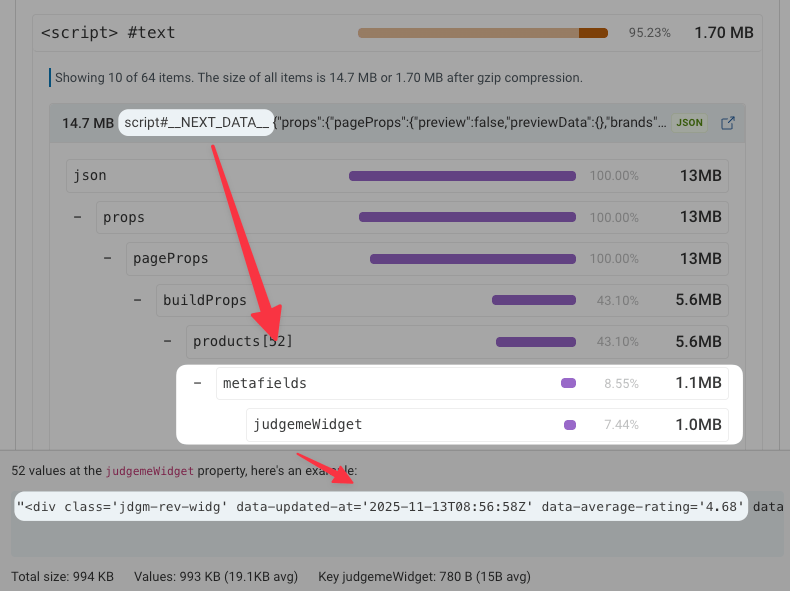
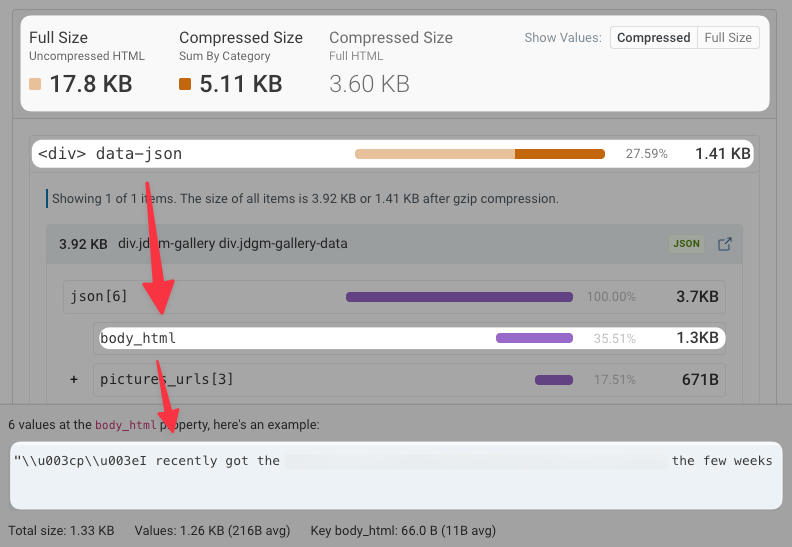
Let’s put one of those values into an HTML size analyzer. Once again, most of the HTML is actually embedded JSON code, this time in the form of a data-json attribute on a div!
And what is the name of the largest property in that JSON? body_html
Other causes of large HTML
Some more examples I’ve seen during my research:
- A 4-megabyte inline script
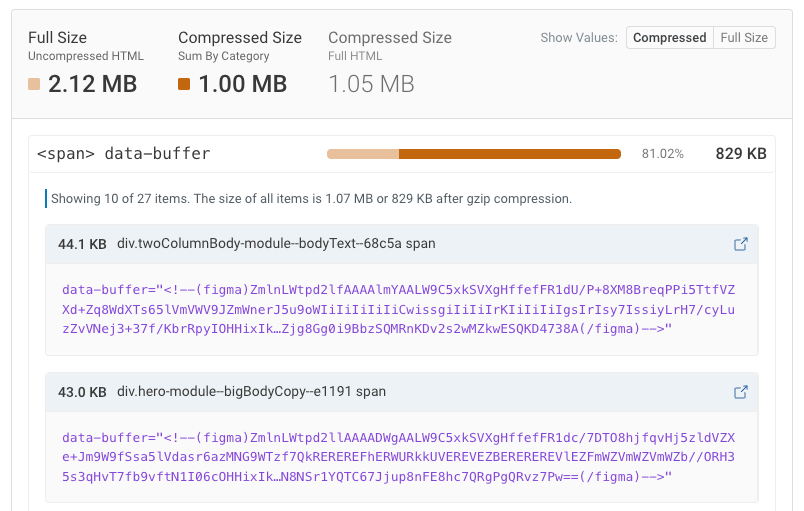
- Unexpected metadata from figma
- A megamenu with over 7,000 items and 1,300 inline SVGs
- Responsive images with 180 supported sizes
There are still some large websites that still do not implement GZIP or Brotli compression in their HTML. So even though there isn’t much code, you still get a larger transfer size.
View 53 Kilobytes NREUM Scripts are also always frustrating: many websites embed New Relic’s end user monitoring scripts directly into the document If you measure user experience you really want to avoid that performance impact!
How does HTML size affect page speed?
The HTML code needs to be downloaded and parsed as part of the page load process. The longer this takes, the longer visitors will have to wait for the content to appear.
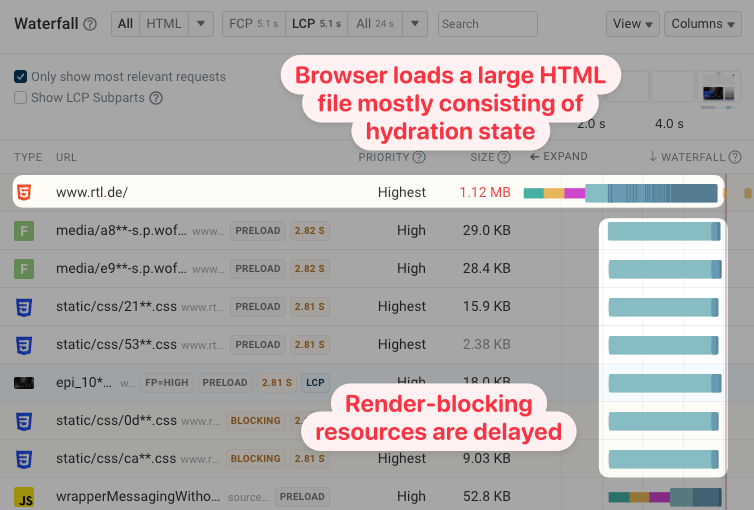
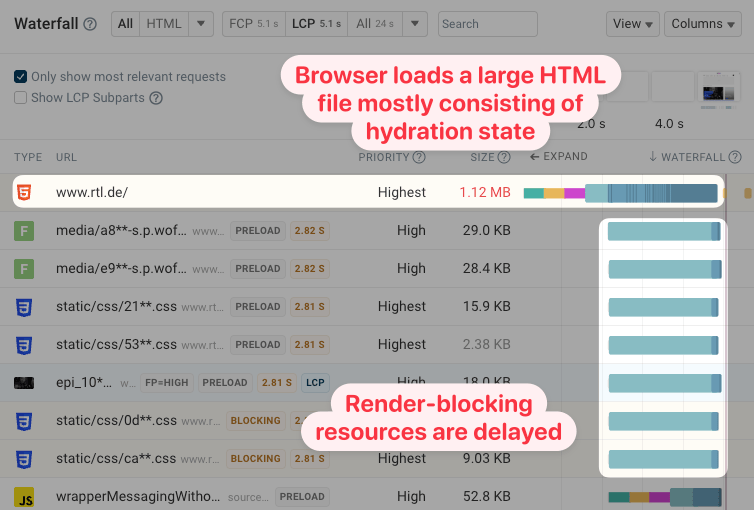
Browsers also give high priority to HTML content, assuming it to be all the essential page content. This may mean that non-critical hydration state is downloaded before rendering-blocking stylesheets and JavaScript files are loaded.
You can see an example of this in this request waterfall from a DebugBear website speed test. While the browser already knows about other files, all the bandwidth is consumed by the document instead.
Embedding images or fonts in HTML also means that these files cannot be cached and reused across pages. Instead they have to be re-downloaded for each page load on the website.
Is the time taken to parse HTML also a concern? It takes about 6 milliseconds to parse one megabyte of HTML code on my MacBook. In contrast, the low-end phone I use for testing takes about 80 milliseconds per megabyte. So for very large documents, CPU processing starts to become a factor to consider.
Websites with large HTML can still be fast
As you can tell, I can be a little obsessed with HTML size. But is this really a problem for many real visitors?
I don’t want to make large HTML files a bigger problem than they actually are. Most visitors to your website today probably have fairly fast connections and devices. Other web performance problems are more serious. (Like actually running JavaScript application code that is using the hydration state.)
Pages also don’t need to download the entire HTML document before starting rendering. Here you can see that the document and important stylesheets are loaded in parallel. As a result, the main content is rendered before the document is fully loaded.
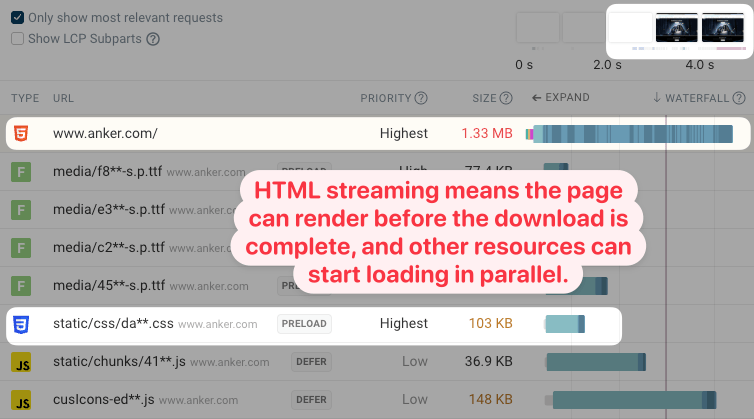
Real visitor data from Google’s Chrome User Experience Report (CrUX) shows that the website typically renders in under 2 seconds. And that’s on mobile devices!

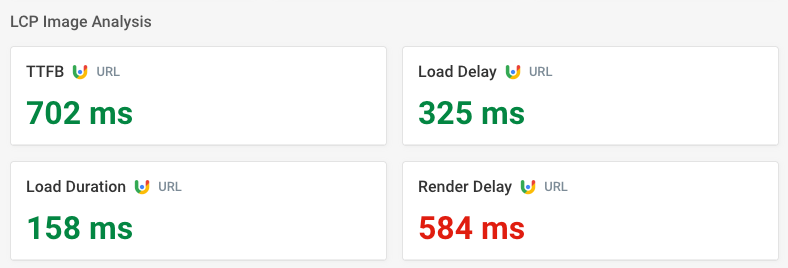
Still, the large document is definitely slowing down the page. One indicator of this is that the Largest Contentful Paint (LCP) image is not visible immediately after loading. Instead, CrUX reports 584 milliseconds of render delay.
This tells us that the render-blocking stylesheet, which competes with other resources on the main website server, is loading more slowly than images from a separate server.
It’s worth taking a look at the HTML of your website and checking what’s actually in it. There are often quick high-impact fixes you can make.
When images are inlined in HTML or CSS code the purpose is often for performance optimization. But a good setup can make it much easier to add more images later without having to look at the file being embedded. Consider adding guardrails to your CI builds to catch unexpected surges in file size.
<a href