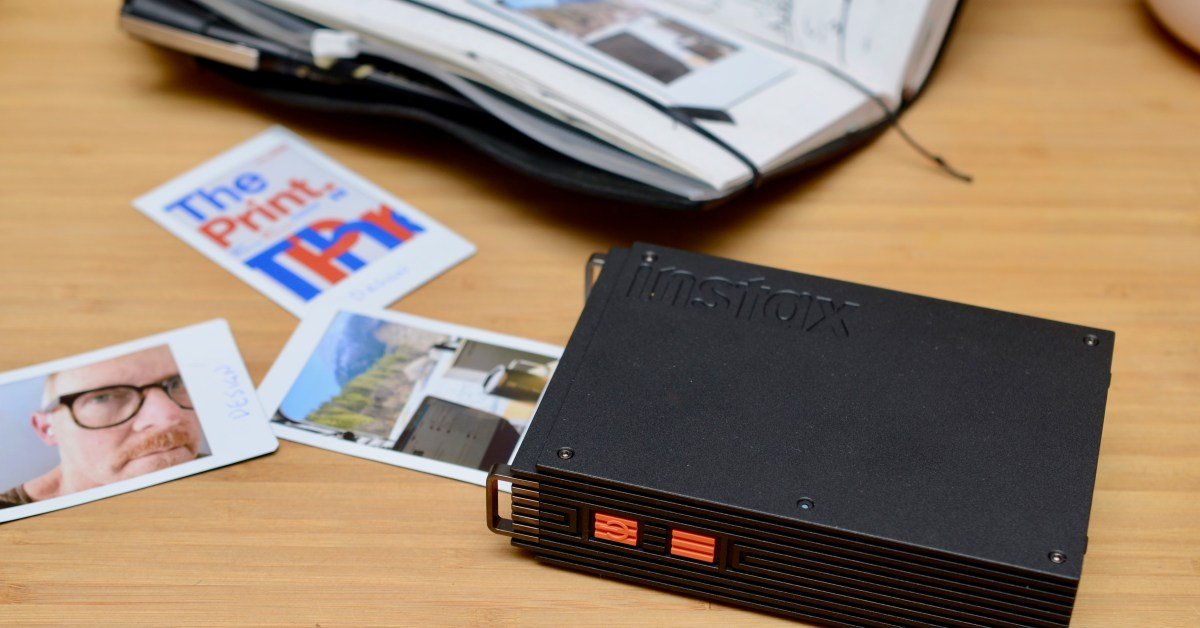
Fujifilm’s Instax Mini Link 3 printer is a much-loved $100 accessory in my travel journal kit. I often paste a printed image next to my handwritten thoughts to preserve a moment in time. However, prints produced by instant film can be soft and muddy – the new $169.95 Instax Mini Link+ promises something better.
The big upgrade is a newly designed print mode. Its purpose is to make text and complex images clear and legible, but despite this being a big selling point, I didn’t notice much of an improvement. However, I found that the better processing inside the Mini Link+ increased contrast, color, and sharpness to reveal more detail in a variety of photos, and I think that’s more important to most people.
From my testing, the new Mini Link+ is definitely an upgrade, but don’t expect it or any Instant Film Instax printer to work miracles, especially for images measuring only 62 x 46 mm (2.44 x 1.81 inches).


Good
- The best Instax Mini printer ever
- Improved color, sharpness, and contrast in most photos
- entertainment for creators
bad
- Slight improvement in text heavy rendering
- expensive
- app has expired
Fujifilm’s Instax printers all use Instax Mini instant film, which typically costs about $30 for 20 sheets, or about $1.50 per photo. To print, you’ll need to download the “Instax Mini Link” app, available for both iOS and Android.
The app is packed with features that let you view your photos in real space with VR and use the printer as a remote camera shutter. It also helps organize your images; Imagine your prints in frames, on shelves, or as collages taped to the wall; And beautify them with text, stickers and filters. If you want, you can also connect your Pinterest account. Fun, I guess, but I’m not twelve years old – I’m a full grown man, damn it, and I just want to print photos in my iPhone’s photo library, and do it quickly!


To do this, I first have to import the image into the Instax Mini Link app, hit Print, choose Simple or Design mode, then wait 20 seconds for the printout. Simple Print promises “smooth color tones for everyday images” and produces soft images, which, in general, is still an improvement compared to most of what the Mini Link 3 can print. Design Mode is specific to the Mini Link+ and that’s why you want it.
I tested different modes with different images and generally found that design prints made on the Mini Link+ were better for faces, landscapes, high contrast images, and macro shots of nature. In fact, everything except text-heavy illustrations, where I saw no obvious improvement.

For example, look at my stupid face. Photos in bright light were susceptible to degradation when printed on the older Mini Link 3. The Mini Link+’s simple and designed print handled light better, with better contrast, more detail in the eyes, and more accurate colors and skin texture.

In the example above, everything in the Mini Link 3 print is very soft and blends together in a lumpy state. The Mini Link+ again offers better contrast, including visible texture on cliff edges, tree branches, and better colors everywhere. The wooden planks on the barn, the lines of the individual trees and the wheel details are more apparent on the design print, with less saturation on that large cedar on the left.

Here, the Mini Link 3 struggles to depict snow as anything more than a white blur, whereas you can create varying snowflakes and depth on the Mini Link+ design print.

In this example, the Mini Link 3 actually flattens the sky and removes the distant mountain texture. The greens and blues are more brilliant with simple and design prints, while in design mode the difference between a piece of gravel and a blade of grass is more pronounced.


In this Spotify screenshot, Design Mode sharpens the lettering and artificially enhances white text with black outlines, most visible on the letters “a” and “s.” Simple mode doesn’t do this. Outline makes lettering attractive.


I find surprisingly little difference between these images printed by the Mini Link 3 and the Mini Link+, even in Design mode. Strange because this is where Fujifilm’s new printer is supposed to excel. Still, they look great for all hobbyists and anyone looking to jazz up a journal or decorate a room.
1/7
After printing 15 photos over the past few days, the Instax Mini Link+’s battery is still at 80 percent. The battery charges over USB-C, and, if you’re in Europe, the FujiFilm NP-70S battery can be user replaced when it no longer holds a charge.
From my testing, I think it’s clear that if you want the best photo quality available in an Instax printer, the $169.95 Mini Link+ is the one for you. There’s also a case to be made for it being a worthy upgrade for some Mini Link 3 owners, unless you’re expecting better prints of text-heavy images.
But its price puts the Mini Link+ in direct competition with dye-sublimation printers like the Canon Selphy QX20 that deliver sharp and accurate prints with better resistance to water and fading. Otherwise, the Mini Link 3 is still a great printer for the price, and the soft, moody images it prints are well worth the $100 price tag.
Photography by Thomas Ricker/The Verge
<a href