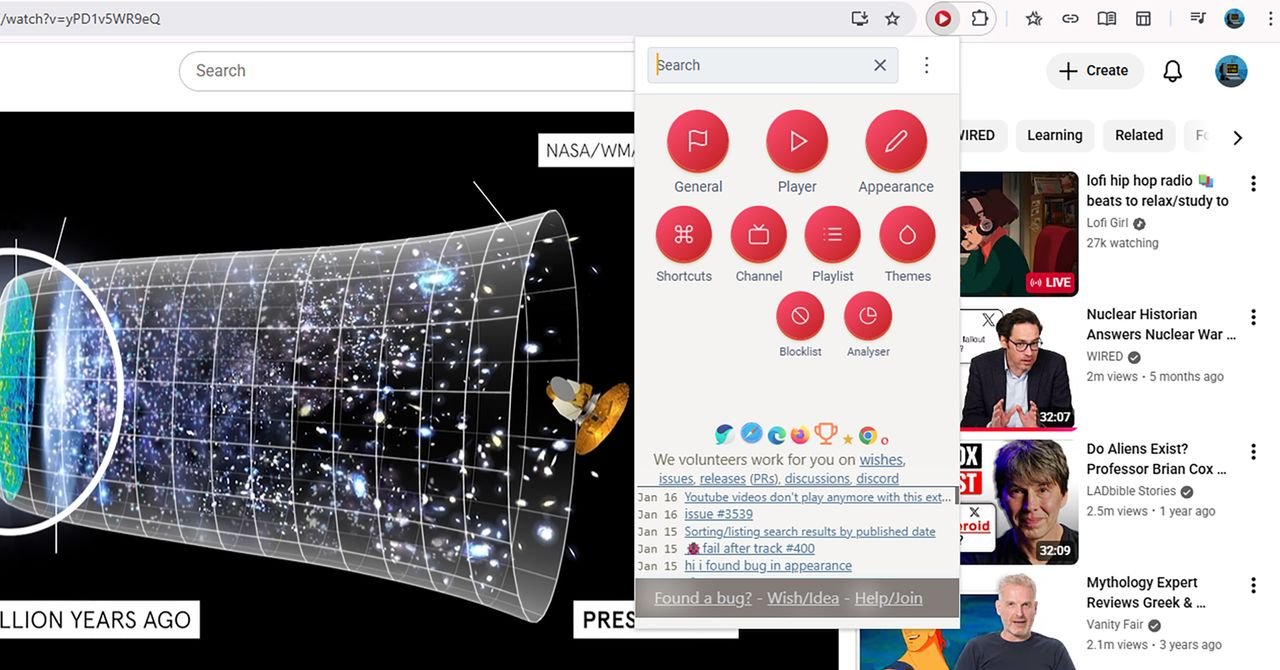
Over the years, YouTube has added a bunch of additional features to improve the viewing experience for its users, but you can make it even better with some well-chosen browser extensions. No matter how you use YouTube, there should be something you can benefit from here.
We’ve focused on extensions for Google Chrome here, which should also work on Microsoft Edge and any other browser based on Chromium (including Opera and Vivaldi). We’re also going to move away from extensions based primarily on blocking ads, in the spirit of supporting content creators on YouTube.
improve youtube

Improve YouTube is one of the most comprehensive and longest-running YouTube extensions, and it brings with it a ton of features. For starters, you can use it to change the look of the YouTube site in a variety of ways: for example, hide the sidebar or video thumbnails for a cleaner look, or change the color of the progress bar and other elements.
Other changes you can implement include new tabs for search results (so you can find new videos without losing your place in the existing tab), the option to hide YouTube Shorts, and a reverse option for your playlists. You can also pause the video when you switch tabs and use the extension to set custom keyboard shortcuts. There is a lot here.
enhancer for youtube

This is another extension that has a lot of strings on its bow. Enhancer for YouTube gives you quick and easy access to playback speed, quality and volume, and more detailed control over videos than the built-in YouTube options. This extension can also change the look of YouTube with custom themes, such as a custom dark mode look that offers dozens of variations.
<a href