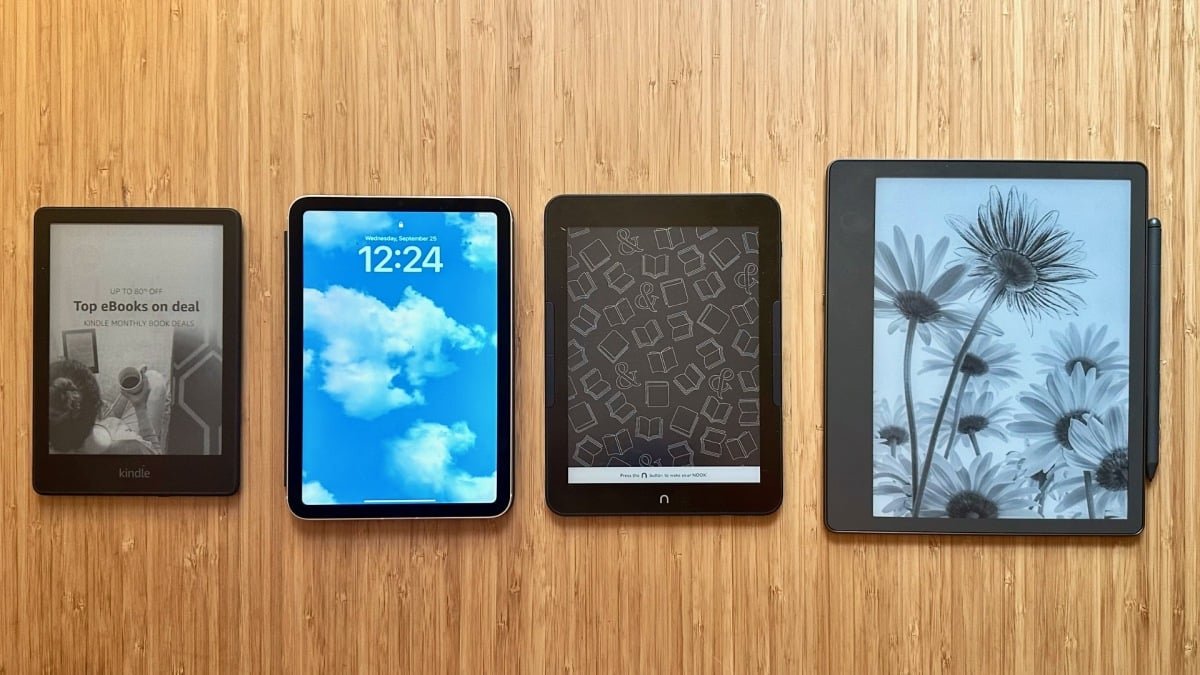
Other e-readers we’ve tested

Left to right: Kindle Paperwhite, Nook GlowLight 4 Plus, Kindle Scribe
Credit: Samantha Mangino/Mashable
The latest e-readers I tested were the Kindle Scribe (2025) and the Kindle Scribe ColorSoft. Previously, Kindle Scribus were disappointing e-readers, but Amazon made major improvements to these devices, and now, they are worthy of your attention. We’ve included the Kindle Scribe (2025) on this list because it’s a better value, even though the Kindle Scribe ColorSoft is technically more impressive. For more on the Kindle Scribe ColorSoft, you can read our full review.
We’ve also tested the Remarkable PaperPro and Onyx Boox Go 7 as contenders for this list. After several weeks of testing, both devices proved to be good enough but not list-worthy.
Whenever you search for e-readers, Remarkable’s tablets will always show up in the search results, but unfortunately, it’s hard to get ePUB files on Remarkable. With Remarkable, you can access files in Google Drive, Dropbox, and OneDrive. If you have any locked ePUB files – like those from Libby – you won’t be able to access them on the Remarkable tablet. So, after testing the Remarkable tablet myself, it proved to be a better document reader or digital journal than an e-reader.
The Onyx Boox Go 7 is a better e-reader option than the Remarkable. It’s similar in size to a Kobo Libra or Amazon Kindle, but it really lags behind in processing speed. Reading ePUB files from Libby required downloading the Adobe Digital Editions app on the Boox Go 7, and there was a lot of lag when opening and closing the app. Although this was an easier process than getting library books on a Nook, it was still a huge pain compared to the Kindle or Kobo integration. The Boox Go 7 lagged and took a long time to load files. I was eager to test this Boox because of its page-turning buttons, but unfortunately, I found that they didn’t work on my device.
One e-reader we didn’t get to test is the Kindle Scribe ColorSoft, which is now available for purchase. We’ve been trying out some new names in the e-reader game, including the Xteink X4 and the DuRoBo Krono.
What about the Kindle Paperwhite Signature Edition?
If you’re familiar with the Kindle lineup, it may be surprising that the Kindle Paperwhite Signature Edition isn’t on this list. Don’t get me wrong, it’s great, but I think there are better options. The Signature Edition is an upgraded version of the Paperwhite, and we’ve compared the devices head-to-head. short version? The Paperwhite is a better value, even with the SE’s added features like auto-adjusting brightness and 32GB of storage.
However, if you’re willing to spend $200 on an e-reader, I’d say skip the Kindle Paperwhite Signature Edition and go for the Kobo Libra Color.
Where is Nook on this list?
In terms of big-name e-readers, you may notice one omission from this list: the Barnes & Noble Nook. I have tested this e-reader, and it was previously featured on this list. However, after testing more devices, it no longer makes the cut. Compared to any Kindle or Kobo Libra, the Nook’s performance is sluggish, making it frustrating to use.
Also, getting my library books onto the Nook was a nightmare, as it was a multi-step process that required downloading to the computer before uploading to the Nook. Its only beneficial quality were the buttons on both sides of the device, which made it easy to turn pages. However, unless you are a loyal buyer of Barnes & Noble books, I recommend staying away from the Nook.
Where to get free e-reader books
Once you’ve got an e-reader, it’s time to fill it with books, and that doesn’t necessarily mean spending money. In fact, you can load your e-reader without spending a dime; You just need to be a little resourceful.
The best way to read almost any book—a classic or a hot new release—is with Libby. I’ve read hundreds of free books with the Libby app – I wouldn’t have been able to test this guide without it. It connects to your library card, allowing you to borrow from your local library’s digital collection. Plus, both the Kobo and the Kindle have exceptional Libby integration.
Another way to build your library is the Stuff Your Kindle Day event. These are 24-hour events led by authors that offer discounted or free books.
If you’re a fan of the classics or searching for treasures lost over time, online resources like Project Gutenberg have over 75,000 books in the public domain that you can download and read on an e-reader.
<a href
Pinco Casino открывает мир азартных развлечений с удобной платформой.
Пинко Казино
Pinco Casino сочетает качество, безопасность и удобство.
https://www.distilleriadauria.it/2019/10/30/gambling-den-games/
https://matras-promtex.ru/