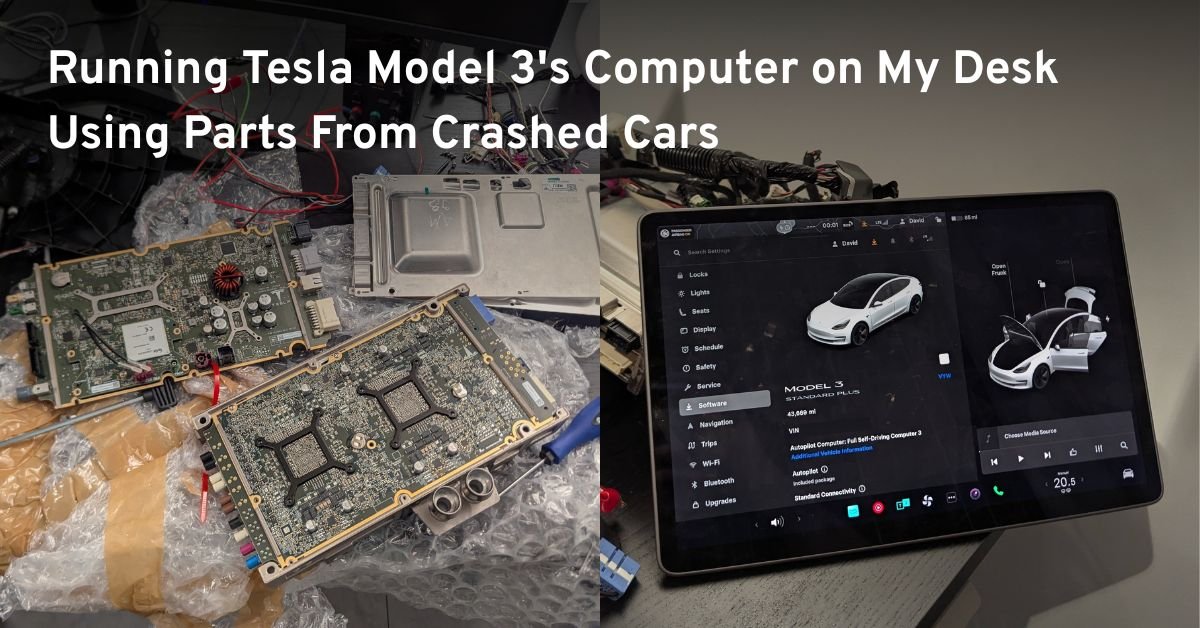
The car computer consists of two parts – the MCU (Media Control Unit) and the Autopilot Computer (AP) layered on top of each other. In the car, the computer is located in front of the passenger seat, approximately behind the glovebox. The part itself is the size of an iPad and the thickness of a ~500 page book and is encased in a water-cooled metal casing:
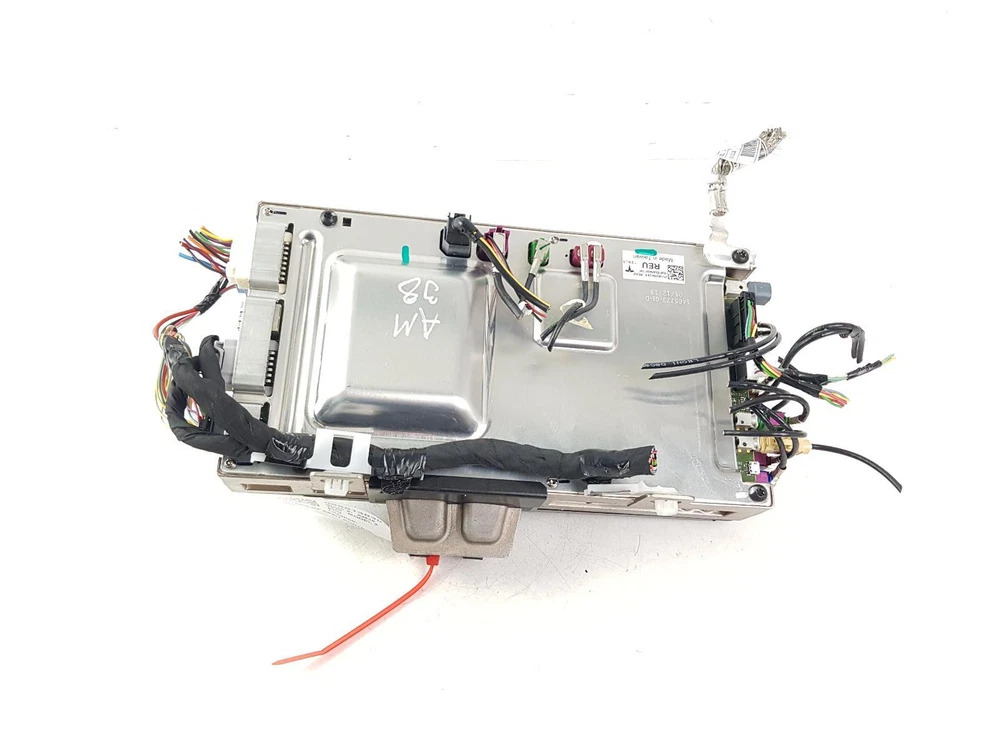
Searching for “Tesla Model 3 MCU” on Ebay, I got quite a few results in the $200 – $300 USD price range. Looking at the listings, I found that many of these sellers are “salvage” companies that buy crashed cars, disassemble them, and list all the parts separately for sale. Sometimes, they also include a photo of the original crashed car and a way to filter their listings for parts taken from the same vehicle.
To boot the car and interact with it, I needed a few more things:
- A DC power supply capable of providing 12V
- A touchscreen module from a salvaged Model 3
- display cable to connect them together
For the power supply, I chose an adjustable 0-30V model from Amazon. There was a 5 amp and a 10A version available at the time, I figured it was safe to have some headroom and chose the 10A version – it was a very good decision, as it turned out, the full setup can consume up to 8A at peak times. Model 3 screens were surprisingly expensive on eBay, I believe this is because it is a popular part to replace. I got a great deal for 175 USD.
The last and hardest part to order was the cable that connects the MCU to the screen. I needed this because both the computer and the screen were being sold by cutting the cable a few centimeters after the connector (interestingly, most sellers did this instead of unplugging the cable).
That’s when I learned that Tesla publicly publishes wiring “electrical references” for all of its cars. On their service website, you can look up a specific car model, search for a component (like a display), and it will show you how the part should be wired, what cables/connectors are used, and even what different pins inside the same connector are responsible for:
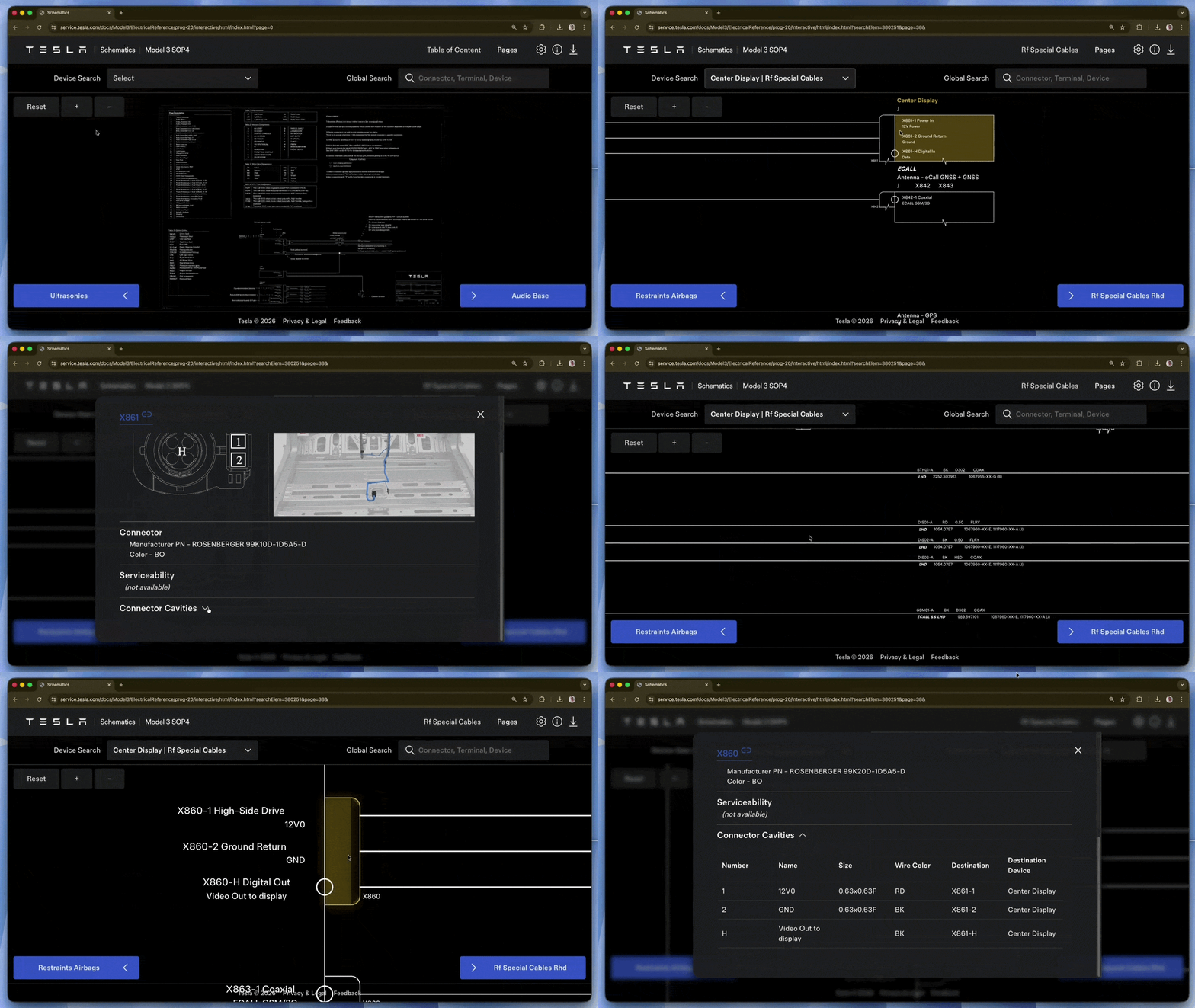
Turns out the display uses a 6-pin cable (2 for 12V and ground, 4 for data) with a special Rosenberger 99K10D-1D5A5-D connector. I soon learned that unless you are a car manufacturer that orders in bulk, there is no way for you to purchase a single Rosenberger cable like this. No eBay listings, nothing on Aliexpress, basically no search results at all.
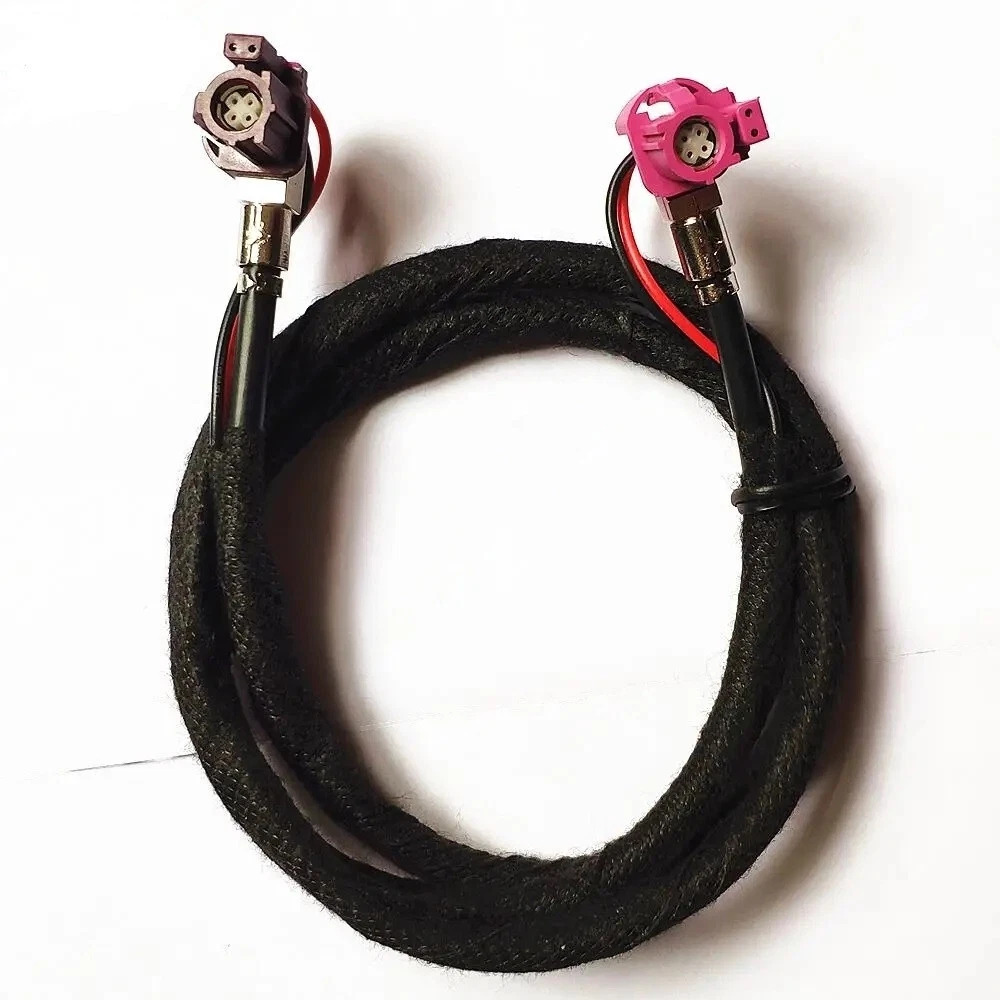
After doing a little research, I found that this cable is identical to a more widely used automotive cable called “LVDS”, which is used to transfer video in BMW cars. At first glance, the connectors looked to match my Rosenberger exactly, so I ordered one:
First came the computer. To try to get it working, I used Tesla schematics and some pictures of people doing the same desk-MCU setup to see which pin of which connector I needed to connect 12V to and ground. Since the computer included shortly cut cables, I was able to remove the corresponding wires and connect the power supply clips to the correct wires:
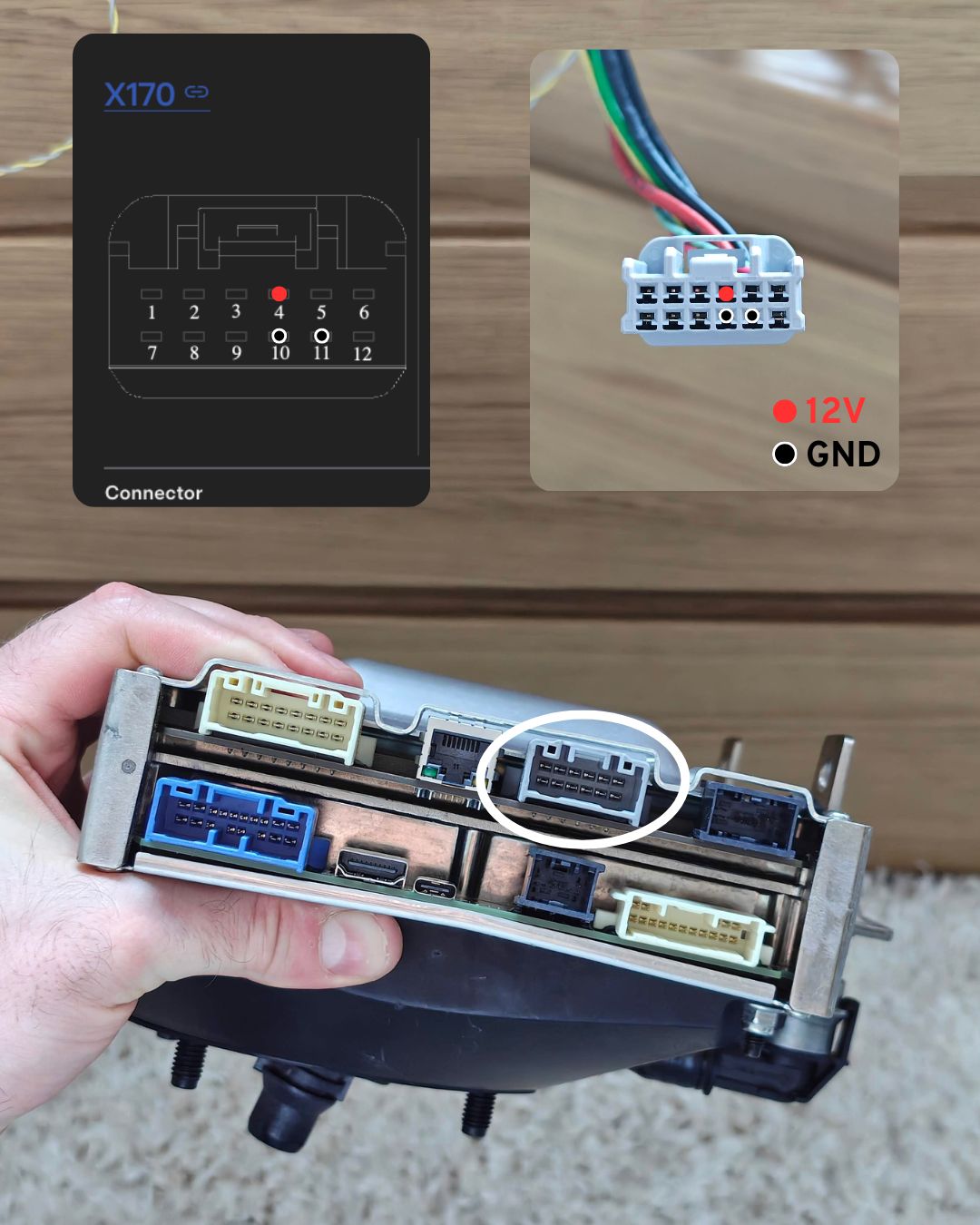
I saw some red LEDs start flashing and the computer turned on! Since I didn’t have a screen yet, there weren’t many ways to interact with the car. Reading previous research by @levurm on GitHub I learned that, at least in older car versions, there was a network inside the car, in which some components had their own webserver. I connected an Ethernet cable to the port next to the power connector and to my laptop.
This network does not have DHCP, so you will have to set your IP address manually. The IP you chose should be 192.168.90.X/24and there should be more than that 192.168.90.105 So that there is no conflict with other hosts on the network. On Reddit, I found the contents of an old /etc/hosts File from a CAR that shows the hosts that are commonly associated with specific IPs:
192.168.90.100 cid ice # mcu
192.168.90.100 ic # only in Model X/S | IC = instrument cluster
192.168.90.102 gw # gateway
192.168.90.103 ap ape # ap = autopilot
192.168.90.104 lb # no clue
192.168.90.105 ap-b ape-b # also autopilot
192.168.90.30 tuner # Also no clue
192.168.90.60 modem # this has the ftp server
@levurm’s blog states that there is SSH on the port :22 and a webserver is running :8080 but was open 192.168.90.100mcu. Was this still the case on newer models? Yes!
I had already found 2 services to explore on the MCU:
- an ssh server that tells “ssh permission: vehicle parked” – This is quite ridiculous considering the circumstances
- This SSH server requires specially signed SSH keys, which only Tesla is known to be able to generate.
- Interestingly, Tesla offers a “Root Access Program” on its bug bounty program. Researchers who find at least one valid “rooting” vulnerability will receive a permanent SSH certificate for their car, allowing them to log in as root and continue their research further. – A nice advantage, because once you’re in it’s much easier to find additional vulnerabilities.
- Running a REST-like API
:8080which returned the history of “tasks”- This service is called “ODIN” (On-board Diagnostic Interface Network), and it is intentionally exposed for use by Tesla’s diagnostics tool “Toolbox”.
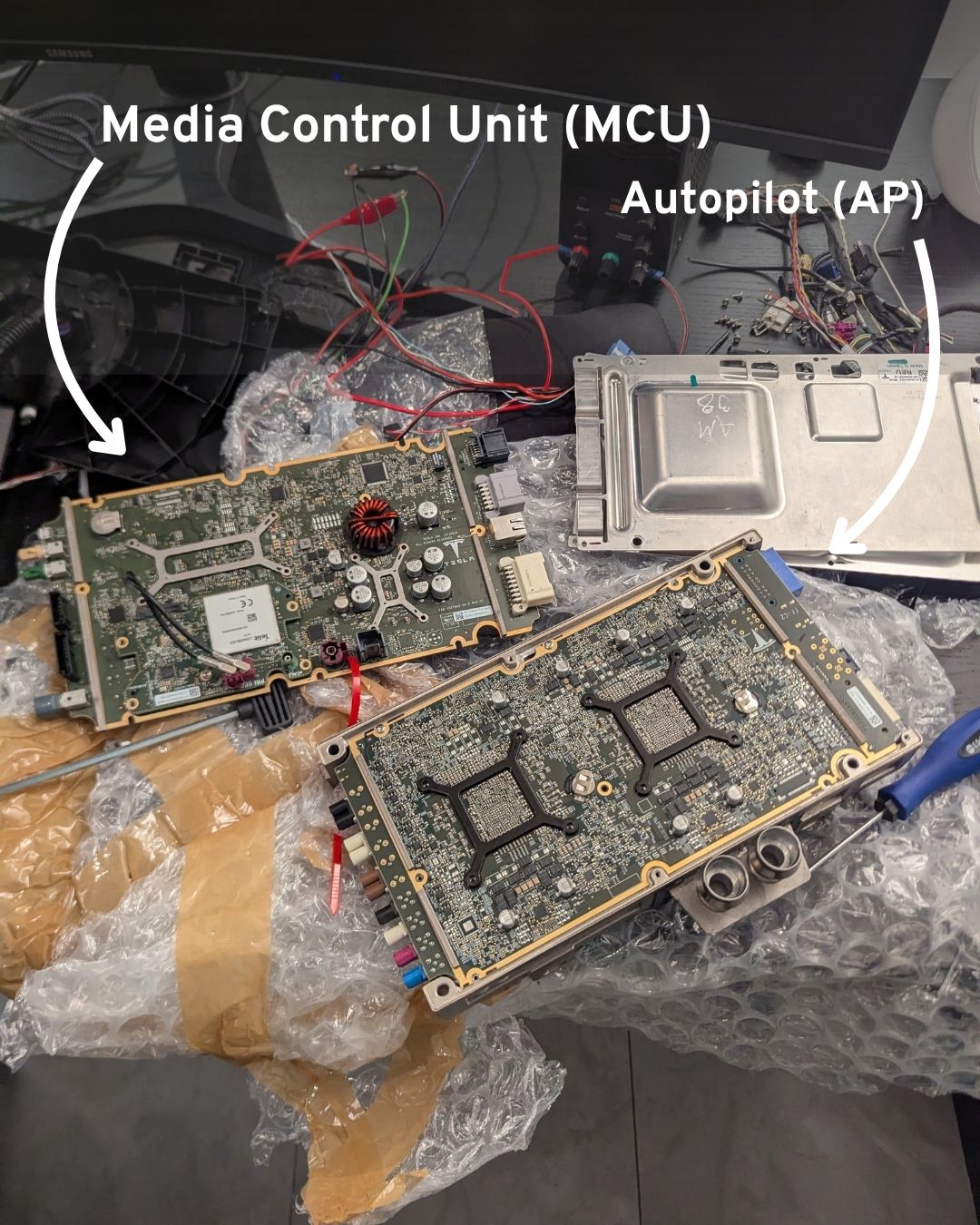
Around this time, I also removed the metal shielding to see what the board looked like on the inside. You can see two separate boards that were placed on top of each other:
Once the screen and BMW LVDS cable arrived, unfortunately it became clear that the connector would not fit. The BMW connector was thicker at the edges and it was not possible to plug it into the screen. This led to some extremely sketchy makeshift attempts at removing the two original “tail” cables from the MCU and screen and connecting the individual wires together. The wires were really sensitive and thin. Net worked for a few secondsBut wire debris falling on the PCB and shorting it burned out one of the power controller chips:
Finding the name/model of the burnt chip was extremely difficult, especially since part of the text printed on it had become unreadable due to the damage. To be able to continue the project, I had to order another car computer.
Meanwhile, my friend Yasser (@n3r0li) somehow did the impossible and identified it as the “MAX16932CATIS/V+T” step-down controller, which is responsible for converting power to lower voltages. We ordered the chip and took the board to a local PCB repair shop, where they successfully replaced it and fixed the MCU. Now I had two computers to work on.
So I really needed that Rosenberger cable, there was no way around it.
After failing to find it online and even visiting the Tesla Service Center in London (an awkward experience to say the least), I had to admit what I was trying to avoid: buying an entire dashboard wiring harness.
Every part number, in addition to connectors, can be found in the Tesla Electrical Reference. Looking at the cable connecting the MCU to the screen, the number 1067960-XX-E Shows. Searching for it on Ebay turns up this horror:
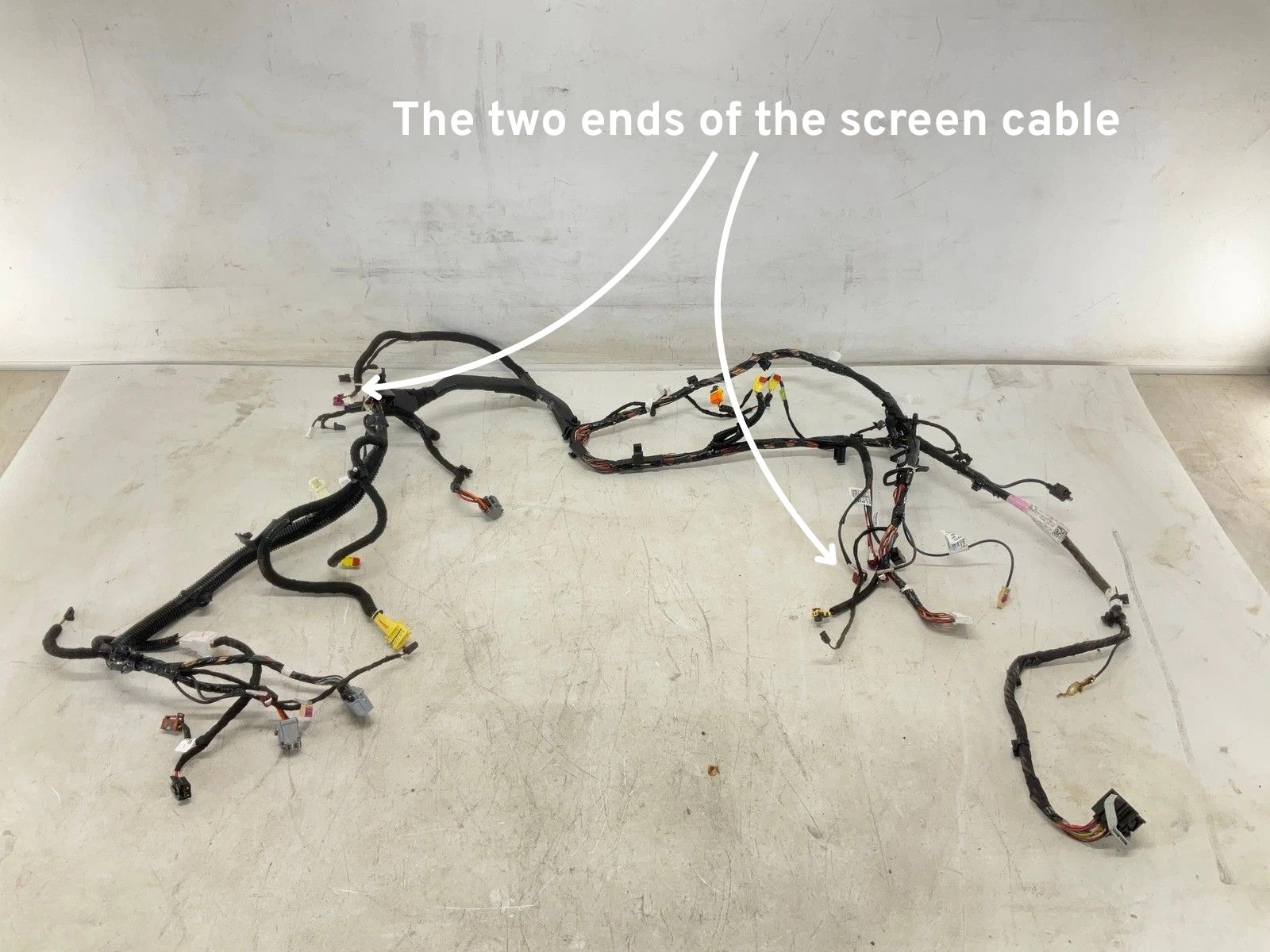
Turns out real cars don’t have separate cables. Instead they have these big “looms” that bundle multiple cables from a nearby area into a single harness. This is why I couldn’t get individual cables at first. They just don’t manufacture it. Unfortunately I had no choice but to purchase this entire loom for US$80.
Despite how heavy it was, the loom worked perfectly. The car started, the touch screen turned on, and on my desk was a working car computer, running the car’s operating system!
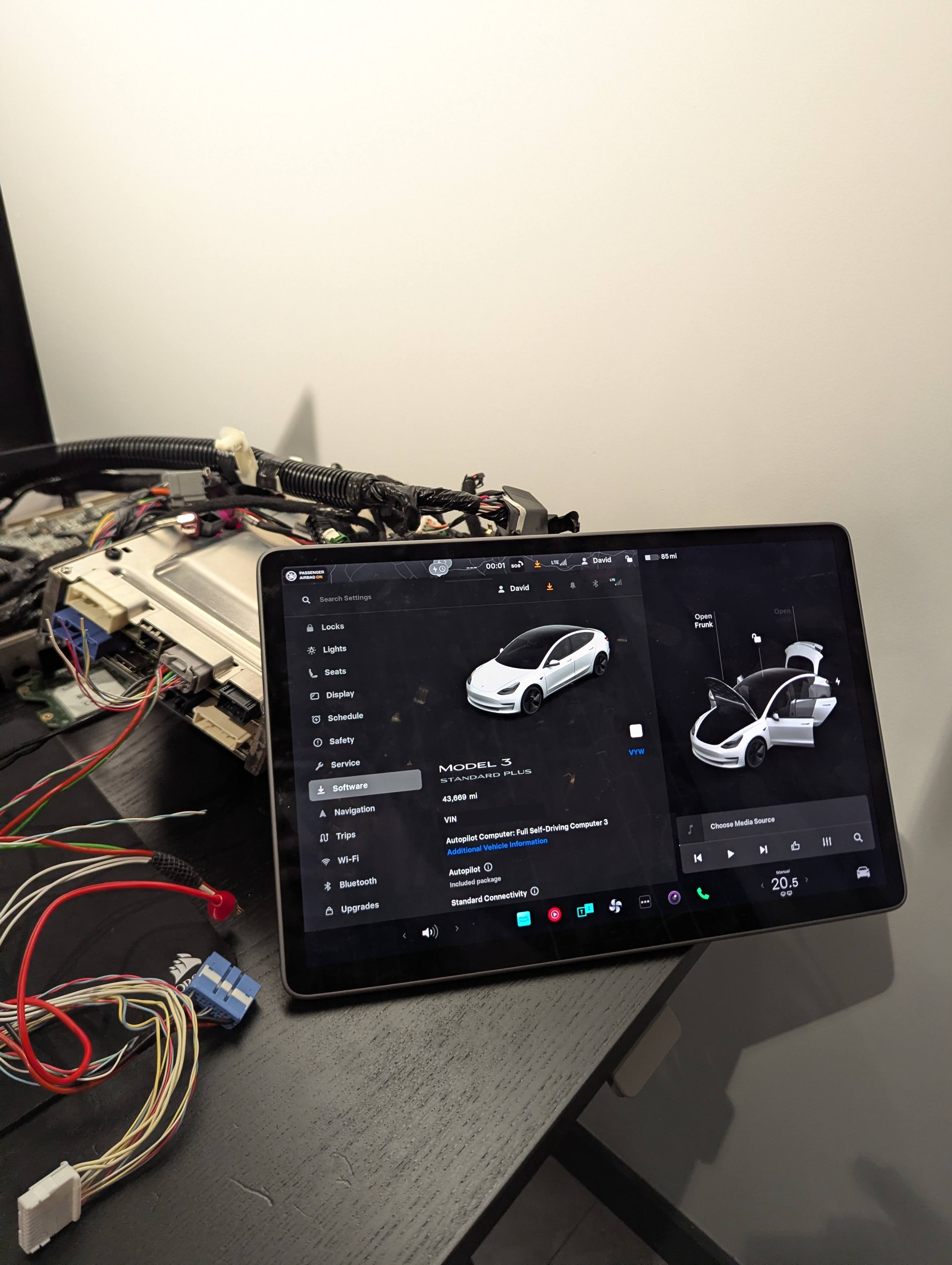
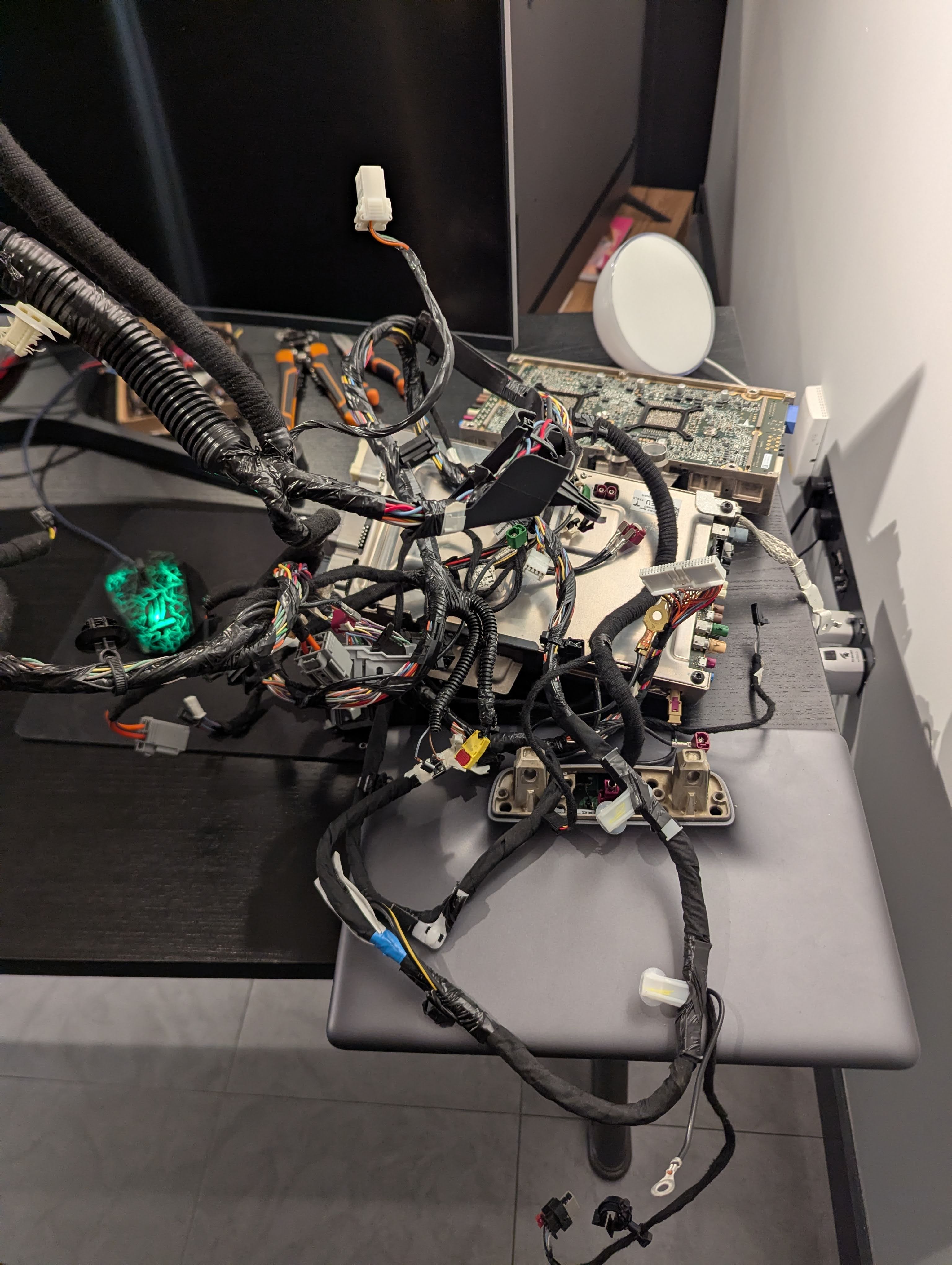
Once the system is up, I can now start playing with the user interface, interacting with the exposed network interfaces, exploring the CAN buses and maybe even attempting to extract the firmware.
<a href