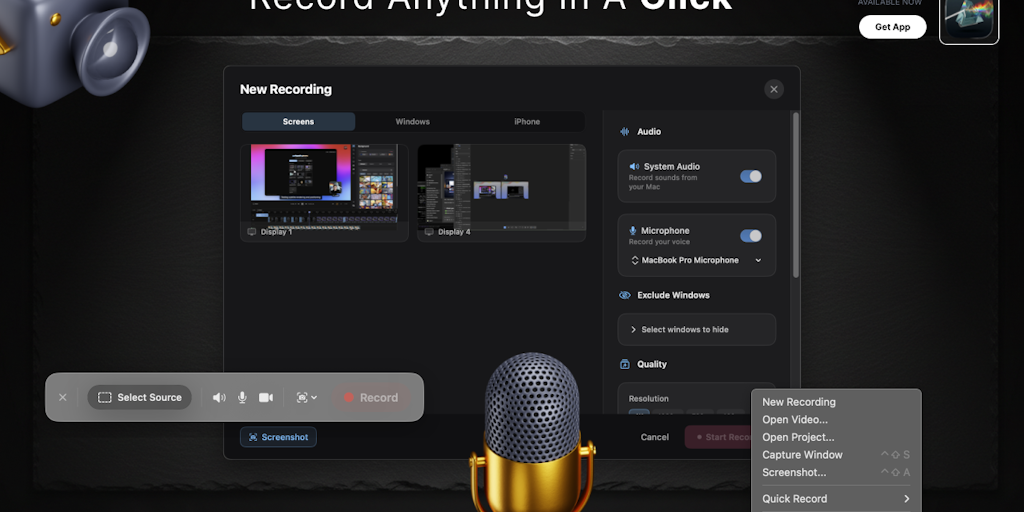
I wanted an app that could record, edit, and export to something better without having to switch tools.
What it does:
– Smart Zoom – AI monitors your clicks and automatically generates zoom keyframes. No manual keyframing.
– Virtual background with custom images
– Camera Branding
– Cursor effects – 3-level smoothing, post-recording shapes, click sounds and visual highlights.
– Brand Kit – logo, colors, fonts, watermarks and 6 animated intro/outro templates. Set once, apply everywhere.
– Device Frames – 27+ pixel-perfect Apple devices with realistic Finnish colors. Record your iPhone via USB and wrap it up instantly.
– AI transcription – word-level subtitles in 50+ languages.
– Multi-track editor – trim, split, speed ramp, freeze frame, annotation, blur mask. Separate tracks for video, camera, audio, subtitles.
– AI Agent Support – 40+ CLI commands over TCP. Works with cloud code and any AI agent framework.
Everything runs on GPU. App size less than 100 MB.
It’s native Swift, renders on Metal, and the entire editing pipeline is GPU-accelerated. Smart Zoom alone saves me 20+ minutes per video.
Lifetime access is $55 at launch (60% off). No subscription required.
Highlight Studio offers a comprehensive help center with an AI chat bot that will answer all your questions about product features and how-tos.
Video recorded and edited using Highlight Studio only.
<a href