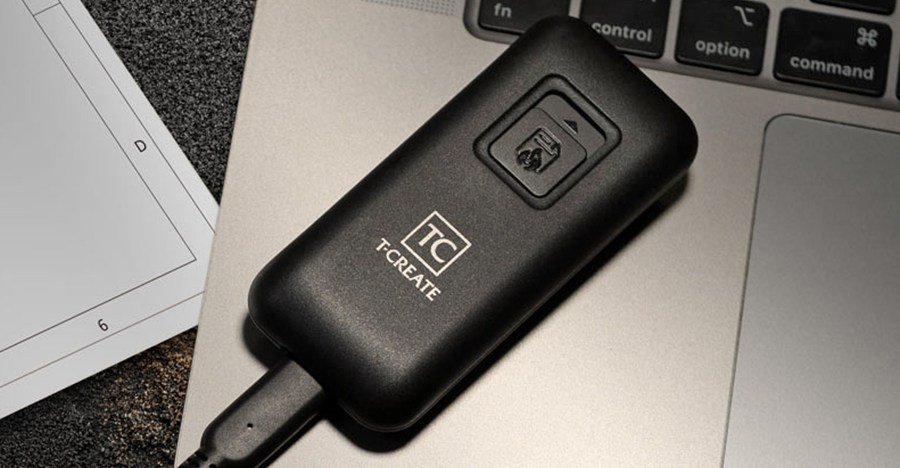
TeamGroup has announced a new portable SSD drive called the T-Create Expert P35S that can give you peace of mind if you’re worried about your data falling into the wrong hands. Instead of using encryption to lock everything behind a password or biometric protection, the P35S has a button that initiates self-destruction. As no smoke or explosion is visible mission imposible movie, but the company says its “patented one-click data destruction circuit” uses chip destruction mechanisms “to achieve a truly irreversible data wipe.”
The company has not announced pricing details or when the P35S will be available for purchase, but it will be offered in four different capacities ranging from 256GB to 2TB. Including an easy-to-access button on the outside that initiates the self-destruct process and turns the entire drive into e-waste seems risky, but there are safeguards in place that prevent the drive from accidentally emptying while it’s bouncing around in your pocket.
The P35S needs to be connected to a computer with a USB-C cable, and that button acts as a two-step sliding switch. To move it to the first stage, a slight force is required to partially reveal the red warning signal. When pushing it to the second stage, which begins self-destruction, even more force is required.
Once self-destruction has begun it will continue until the drive is emptied and shuts down, even if it is disconnected from the computer. According to TeamGroup, this process ensures that there is “zero data residue” to “prevent any type of recovery.” That’s why the company warns that the P35S is “not intended for general consumers, personal data backup, or everyday storage purposes” and is instead targeted at users who handle and transport confidential or classified data.
In addition to its self-nuking capabilities, the P35S features a single USB-C port 3.2 Gen 2 port with read and write speeds of up to 1,000MB/s. The entire drive is just over 3.5 inches long and weighs 42 grams.