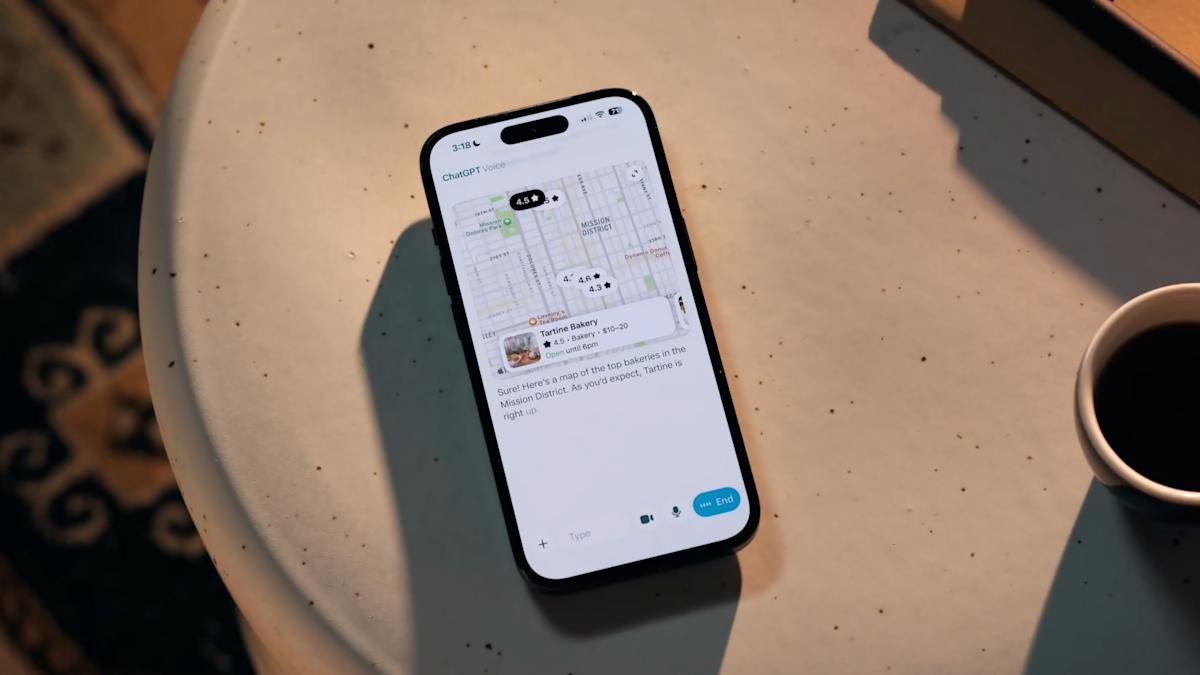
OpenAI has announced that it is changing the way ChatGPT’s voice mode works on the web and inside the company’s apps. As part of the update, you can interact with ChatGPT voices directly within your ongoing chat, allowing you to see a transcript of your conversation with OpenAI’s AI model, as well as scenes that show ChatGPT talking about you.
You can start a voice chat by tapping or clicking the “Waveform” icon next to ChatGPT’s text field. Instead of launching the feature in the original orb-filled interface, voice chat now appears in line with the one you were discussing earlier. In a demo video shared by OpenAI along with the announcement, ChatGPT was able to display a transcript of the conversation, followed by a map listing photos of pastries sold at popular bakeries and tartines. OpenAI says that if you prefer the original voice interface, you can switch back to it by toggling different mode Under the Voice Mode section of ChatGPT’s Settings.
Tying together visual and voice responses is a natural extension of the multimodal nature of ChatGPT. You can already prompt OpenAI’s models with your voice and an image or video, it makes sense that voice responses from ChatGPT should have the same level of detail. Google has explored similar ways to make Gemini Live more expressive during conversations, including letting AI highlight specific parts of live video with overlays. This OpenAI feature isn’t quite as responsive in the same way, but it can make voice conversations with ChatGPT more informative.
<a href