Google has gradually become the outgoing Assistant across all its apps, and now it’s Android Auto’s turn. Over the next few months, any Android user who has made the jump to Gemini on their phone will be able to interact with a next-generation AI assistant while driving using natural language.
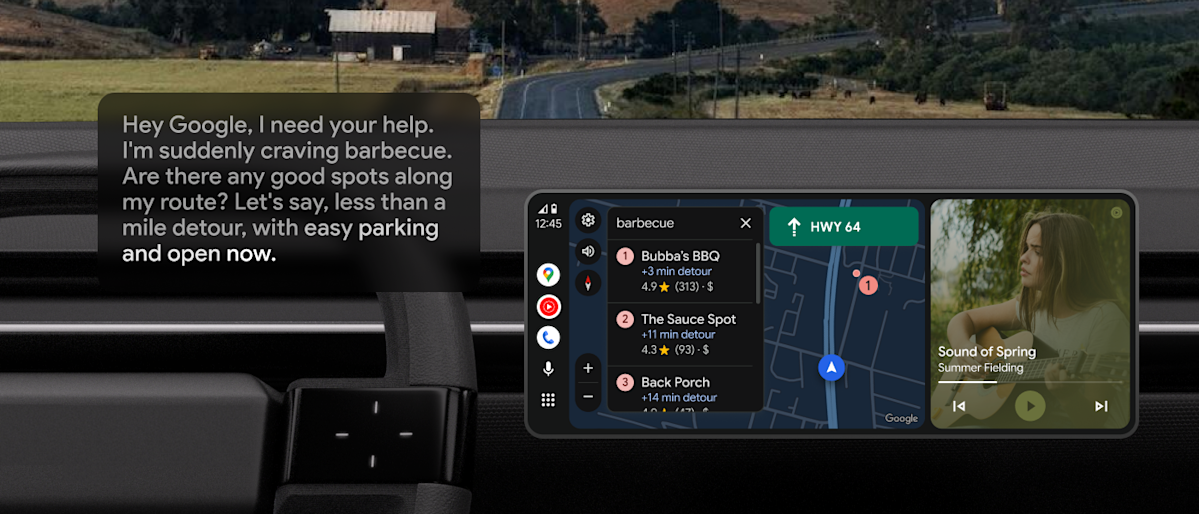
Gemini-ification has already happened, and its new features are coming to Android Auto as well. You can ask the AI about restaurants that serve specific dishes on your current route, and ask follow-up questions about the menu or its proximity to your destination. From there, the map can guide you to the restaurant. Gemini lets you ask questions just like you would when talking to another human being, which theoretically means you can focus more on the road and less on how to create a prompt that it can understand.
The same applies to texting while driving. Where earlier you had to say only what you wanted to write. You can simply tell the AI a gist and it will use relevant information, such as your ETA if you’re meeting someone, and it can add additional details when requested, without you needing to restart the message. Gemini will also summarize grouped messages.
Gemini can also access your Gmail account and pick up things like hotel addresses, as well as view your unread emails. Other apps you might want to use while driving, such as Calendar, can also be accessed by the more talkative Gemini.
The Gemini also acts as a DJ of sorts, and is able to create playlists on-the-fly with specific conditions related to genre, length, or your general mood. You can also ask it to choose songs that suit the current weather outside. It can also act as a tour guide, telling you some facts about a destination, and if you’re on the way to a wedding, Google even suggests you practice your speech in the car. Gemini probably won’t judge you for calling on his services for some speech-writing at the last minute.
As long as you have the Gemini app on your phone, it should start showing up on your Android Auto-enabled infotainment system. You can either say “Hey Google,” tap the on-screen mic button, or press the voice control button on the steering wheel. 45 languages are supported and you can translate any message into a language Gemini knows in real time.