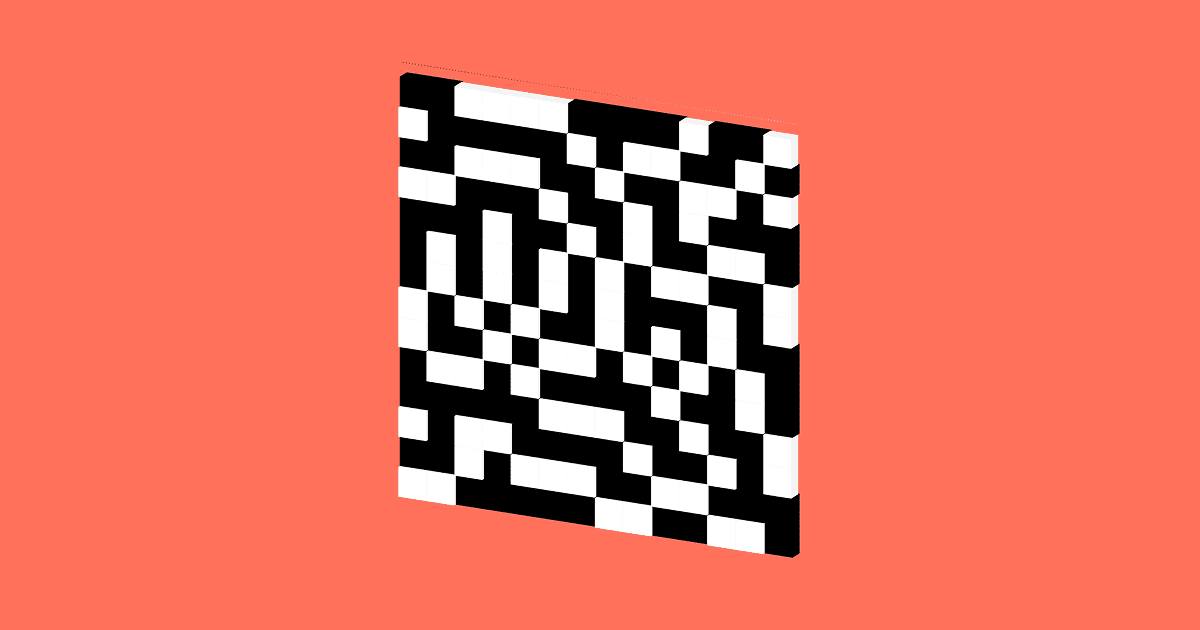
Understanding threshold maps in ordered dithering.
hello! Welcome back to Part 2 of my Dithering series!
← Tap/click left to go back
If you missed Part 1, please check it out first! I’ve covered how dithering simulates more colors than actually exist.
Use the arrow keys to navigate ← or →
This part dives into sequential dithering, a method that uses a threshold map to decide the final color of each pixel*.
*Note: This series covers grayscale dithering only for two colors: black and white. Multi-chromatic deviation is possible, but will not be covered here.
There are several ways to create a threshold map, each creating a unique visual pattern.
I will guide you through how it works and how it creates unique patterns.
Please note that this is not a technically intensive exploration. This is simply a visual exploration of the logic behind ordered dithering.
I personally understand ideas better when I can see them firsthand, so I hope this helps you too!
Let’s get started!
First, a quick recap on quantization: the process of reducing the colors in an image.
Grayscale images use a range of colors from black to white.
Now, imagine that our display can only show pure black and white.
We need to convert those gray shades into black or white. That’s what quantization does.
One way is to round: dark colors become black, and bright colors become white.
Another way is to set a limit. Anything below it turns black; Anything above it turns white.
Threshold controls the quantization output: lower thresholds can whiten dark colors, while higher thresholds can blacken bright colors.
Now, imagine using multiple thresholds simultaneously, each with a different value.
Now by quantizing a single color we get a mixture of black and white pixels.
The result reflects the original brightness: brighter inputs become whiter, while darker inputs become darker.
The threshold map in ordered dithering works essentially the same way.
It converts gray shades into black and white patterns that mimic the brightness of the original image.
Let’s now try to apply this map to the full image by tiling the entire area.
Our image has now been converted to black and white, but something is wrong. See those vertical line artifacts?
They are formed by the horizontal black and white patterns created by our map.
The problem is that the output directly reflects the layout of the map.
To fix this, we need to rearrange the threshold map.
Introduction: Bayer Matrix.
The thresholds are arranged in a 2×2 matrix as follows.
When applied, it produces this signature cross-hatch pattern.
This pattern keeps black and white pixels separated, preventing unwanted artifacts like those vertical lines.
The result is an even spread of black and white pixels that smoothly blend into shades of gray.
Now that it looks better, we still have one problem: the transitions between colors are quite harsh.
Problem? With only 4 threshold levels, we have only 4 patterns to represent the entire grayscale shades.
To improve this we need to increase the number of our output patterns.
Here is a 4×4 Bayer matrix, which has 16 different threshold values.
This is an extension of the 2×2 matrix. Notice how the sequence is the same, just with different starting values.
Like the 2×2 version, it creates a cross-hatch pattern. But now with 16 unique pattern variations.
These additional patterns allow us to represent 16 unique shades of gray instead of just four.
As a result, we get smooth transitions between colors.
This reduces harsh transitions between shadows and highlights in the final image.
And it has been ordered to be avoided summarily!
In short, it uses a threshold map to translate colors into cleverly arranged patterns.
Now you may ask, can we use even more limit levels? Or, can we arrange them differently?
The answer is yes! The arrangement of the threshold maps is what creates those unique dithering patterns. Let’s explore some other ways to organize them.
This is the pattern coming from the 8×8 Bayer matrix. With 64 levels, this is another expansion of the versions we’ve seen so far.
It still has a similar cross-hatch pattern but offers even smoother transitions between colors.
This provides a denser and more detailed gradient, although the difference is quite subtle.
Let’s now look beyond the Bayer family with this pattern coming from an 8×8 clustered dot matrix.
It has round dot clusters, which is quite different from Bayer’s cross-hatching.
This gives the image the classic, familiar feel of a printed newspaper.
Finally, my favorite method: zero and cluster.
blue noise
The result is a pattern that seems less rigid than the Bayer cross-hatch.
In the final image, this creates a fine texture that blends into the brown more naturally.
That’s all for now! There are still a few more maps to explore, but we’ll save those for next time.
If you want more examples and details, here are some resources you may want to explore:
• Libka Studies – 2. Halftoning
• Ditherpunk – The article about monochrome image dithering I wish I had
• Robert Ulichny’s paper on zero-and-cluster dithering
I hope you enjoy what you’ve read so far! In the next section, we’ll look at another dithering method that doesn’t use the map at all: error propagation.
Thanks for reading! See you in the next part.
VisualRambling.space was created by Damar, a guy who loves exploring new topics and rambling about them visually.
If you like it, please consider following and sharing. I will keep creating more visual articles like this!
I am also open to collaboration or commission work. Feel free to contact anytime.
Follow/Contact Me:
https://x.com/damarberlari
_Empty
https://bsky.app/profile/damarberlari.bsky.social
_Empty
https://www.linkedin.com/in/damarpramudita/
_Empty
../rss.xml
_Empty
mailto: [email protected]
_Empty
<a href