Bitchat is a new messaging app that allows users to chat securely with or without internet access. Download it today via app Store Or Google Play Store Initiating communications securely even when connectivity is missing.
Why is Bitchat needed?
Palestinians depend on Israel for access to electricity, telecommunications and Internet routing. Israel has armed This dependence is being deliberately created in Gaza blackout Which has cut off Palestinians from communicating with each other or with the outside world. The sustained bombing campaign has also destroyed or seriously crippled any remaining communications infrastructure.
Even when Palestinians use regular communication methods, their conversations and messages may still be monitored and recordedthereby exposing them to surveillance and potential targeting.
The Palestinian people are denied the basic human right to communicate freely and without hindrance.
Solution
Bitchat lets you send messages even when the internet or power is off. It connects phones directly via Bluetooth, and helps each phone relay messages, allowing communications to extend far beyond your immediate area. Everything is completely encrypted so your conversations remain private.
When you have Internet or cell service, Bitchat can send your messages anywhere in the world using a network of relays. There is no central server that stores any of your data. You don’t need to create an account, share your phone number or email, or even have a SIM card to use it.
staying connected when all else fails
BitChat is an Israel-proof messaging alternative that continues to work even when traditional networks are down. The app also features “geohash” channels that allow users to join location-based chats, so Palestinians can stay connected with their neighbors on the street or the larger community in cities across the region.
It allows Palestinians to check on the safety of their loved ones, organize and coordinate within their communities, and share important news and updates.
Validated by T4P
T4P has evaluated the app, tested it in a variety of situations, and looked at the technology and administration of the application. Following this evaluation, T4P has recognized it as a secure and resilient communications tool for Palestinian communities when experiencing Internet disruptions or outages. Additionally, members of the Tech for Palestine community are among BitChat’s top code contributors.
BitChat has seen an increase in downloads in countries facing civil unrest such as Nepal, Indonesia, Côte d’Ivoire and most recently Madagascar. nepali government blocked access On all major social media platforms, citizens are being forced to search for alternative methods of communication.
WhatsApp is known for to expose Personal Data, potentially intended for Israel – and these breaches have been used target PalestiniansCommunicating via WhatsApp or social media carries the risk of exposing private data, limiting free expression and undermining user privacy, BitChat does not have the same vulnerabilities and does not allow Meta to help Israel track Palestinians,
get started
You can easily start using Bitchat without even creating an account. To get started, download the app here app Store Or Google Play Store,
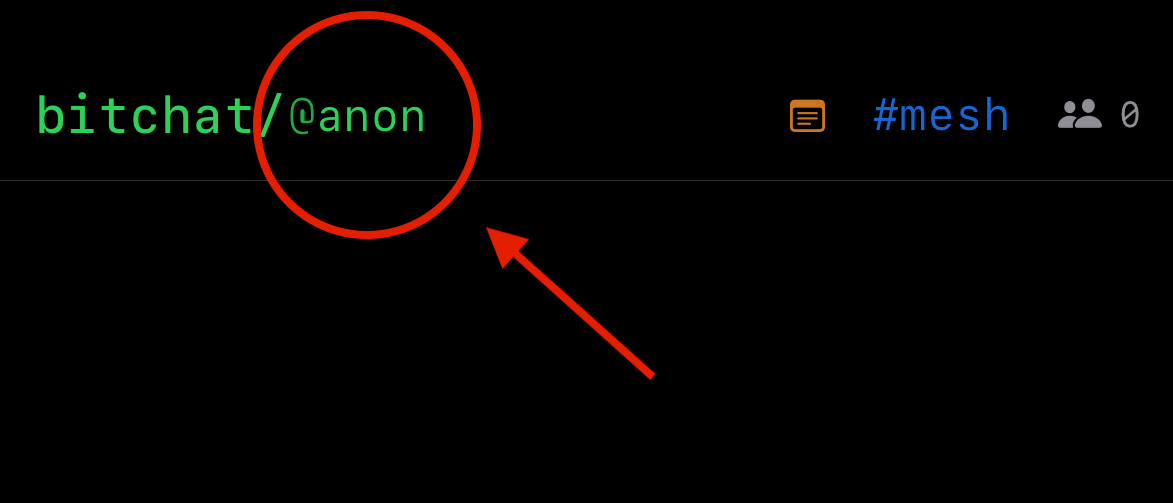
Once installed, the first thing you should do is change the default @anon username at the top. Click on this to change.
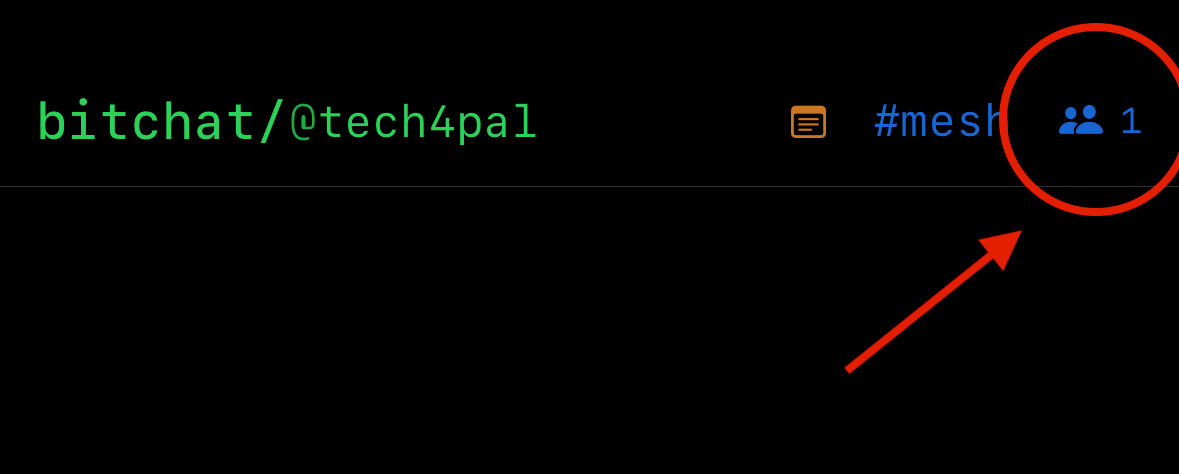
The blue #mesh channel in the upper right corner will indicate that you are active on your local Bluetooth network. Next to it you will see an icon with the number of users connected to your network. Click on the icon and start private conversations with users from the list.
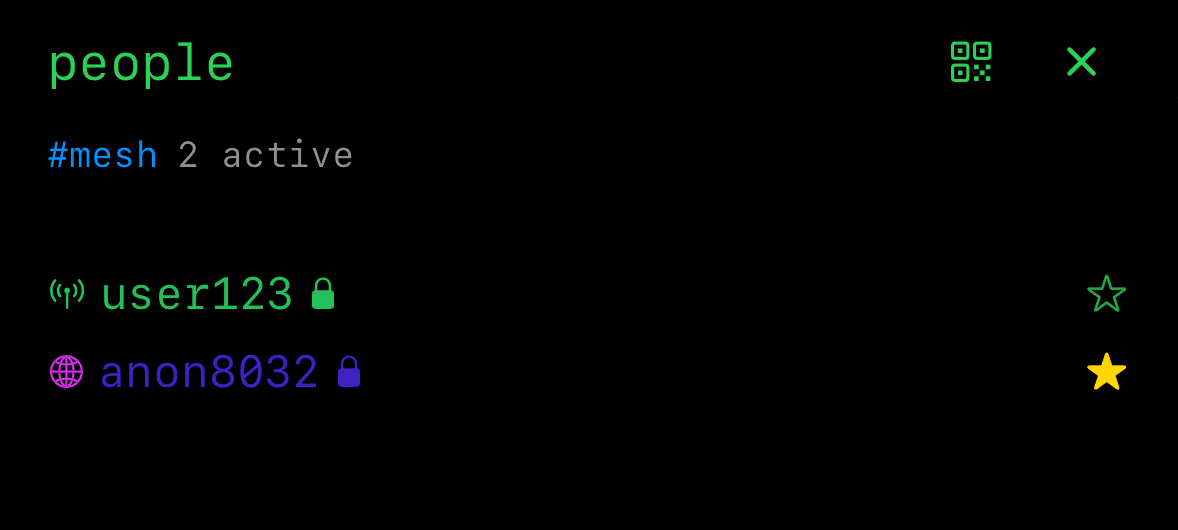
We recommend personally verifying your friends and family members’ usernames when possible. This helps ensure you’re talking to the right people and avoid confusion or impersonation. Once you’ve confirmed someone’s identity, you can start messaging them privately. You can also “favorite” them so they are easier to find later.
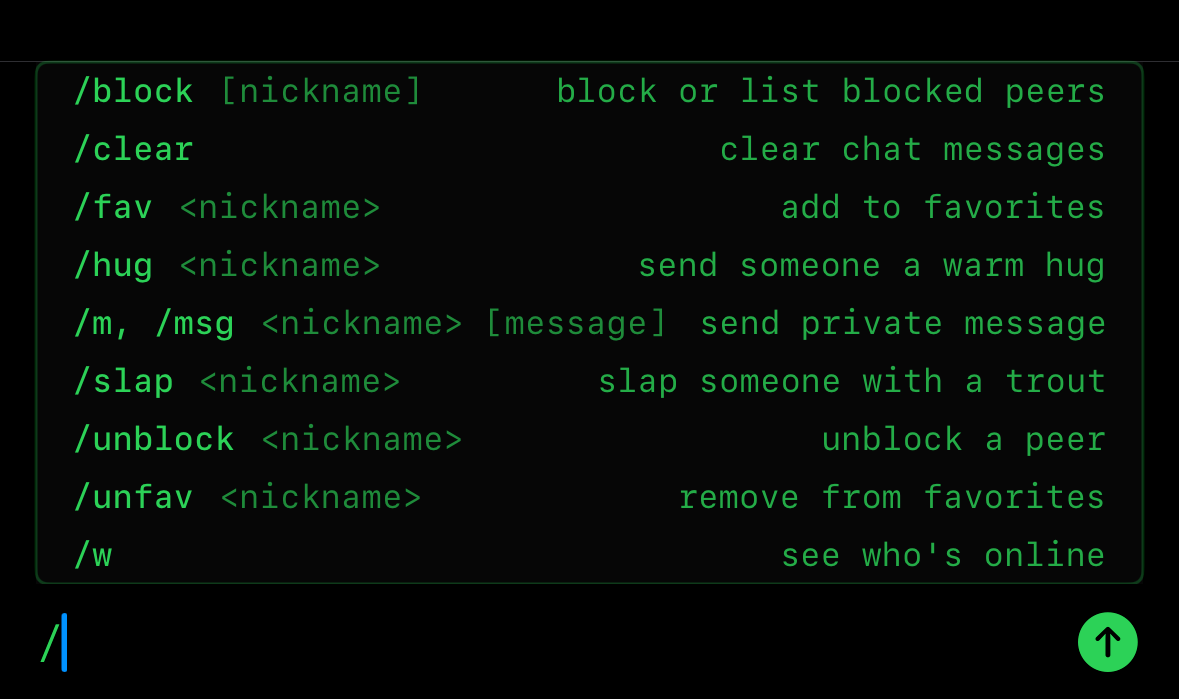
Start sending the message using the “Type a message…” box. Type forward slash / to open a menu for additional commands and options.
place:
If you click on the blue #MeshChannel on the top right it will open up the different location channels available.
- #Mesh: Mesh channel is your local Bluetooth network that spans any number of devices connected using BitChat. So the more users there are with the ability to relay over distance, the larger the network. This is the channel that will allow you to communicate when all other networks are down.
- Location Channels: You’ll see the default channel names for your block, neighborhood, city, province, and region. They work best when connected to the Internet.
- #GeoHash: GeoHash Channel is a custom channel that you can start to connect with your immediate family or local groups. Type a name for your channel and click Teleport. Then users in your network can join.
Useful Tips:
- It is encouraged to clear your messages with the “/c” command on a regular basis. This is good practice in a scenario where your phone is confiscated. Messages are only accessible on the device as Bitchat has no central server. If you delete the messages, they will not be accessible anywhere.
- Gaza Online Provides renewable eSIMs to restore internet access throughout Gaza, helping people stay connected and access essential services. By connecting with BitChat, it can help to continue communication even when the network is down.
Download Bitchat today and see additional equipment That tech for Palestine is being worked on.
Stay connected, stay safe.