Run untrusted or AI-generated code locally inside MicroVMs that behave like containers thanks to great DevX, 200ms launch times, and better security.
Has a fully managed cloud layer, globally deployed workers/API, visit cloudflare/README.md.

Option 1: Homebrew (recommended)
# 1. install the tap
brew tap binsquare/era-agent-cli

# 2. install era agent
brew install binsquare/era-agent-cli/era-agent

# 3. install dependencies
brew install krunvm buildah

# 4. verify the CLI is on PATH
agent vm exec --help

# 4. follow platform-specific setup (see below)
# 1. install dependencies
brew install krunvm buildah  # on macos

# 2. clone the repository
git clone https://github.com/binsquare/era
cd era-agent

# 3. build the agent
make

# 4. follow platform-specific setup (see below)
brew tap binsquare/era-agent-cli
brew install era-agent-cli
brew install krunvm buildah
Run the post-install helper to create a case-sensitive volume/state dir on macOS:
$(brew --prefix era-agent)/libexec/setup/setup.sh
Homebrew installation setup
If you installed Epoch Agent via Homebrew, use the setup script from the install location:
# for macos users with homebrew installation
$(brew --prefix era-agent)/libexec/setup/setup.sh

# or run the setup script directly after installation
$(brew --prefix)/bin/era-agent-setup  # if setup script is linked separately
-
run
scripts/macos/setup.shTo bootstrap dependencies, to validate (or create) a case-sensitive volume, and to prepare an agent state directory (the script may prompt for your password when run).diskutilThe script will also detect your homebrew installation and recommend the correct value forDYLD_LIBRARY_PATHEnvironment variables that may be neededkrunvmTo find its dynamic libraries. -
If you prefer to manually create a dedicated volume, open a separate terminal and run (with).
sudoas required):diskutil apfs addVolume disk3 "Case-sensitive APFS" krunvm(replace the
disk3with identifier reported bydiskutil listThe operation is non-destructive, does not requiresudoAnd shares space with the source container volume. -
When prompted by the setup script, accept the default mount point (
/Volumes/krunvm) or provide your own. Afterwards, export the environment variables printed by the script (minimumAGENT_STATE_DIR,KRUNVM_DATA_DIRAndCONTAINERS_STORAGE_CONF) before invokingagentor runningkrunvm,buildahdirectly. The Assistant now creates a matching container-storage configuration under the case-sensitive volume so that the CLI can run without additional manual steps.- also writes scripts
policy.json,registries.confunder the same directory, so buildah doesn’t look for root-owned files/etc/containersExport the variables it prints (CONTAINERS_POLICY,CONTAINERS_REGISTRIES_CONF) if you apply buildah manually.
- also writes scripts
- to install
krunvmAndbuildahUsing your package manager (specific installation method may vary) - Make sure the system is properly configured to run the MicroVM (kernel modules or specific privileges may be required)
- Consider the setting
AGENT_STATE_DIRto writable space if running as non-root
krunvmmust be installed and available$PATH(Homebrew:brew install krunvmSee upstream documentation for other platforms).buildahmust also be present becausekrunvmIt is used for OCI image management.- On MacOS,
krunvmRequires case-sensitive APFS volumes; See macOS setup notes above.
make          # builds the agent CLI
make clean    # removes build artifacts (Go cache)
Complete platform-specific steps (macOS volume setup, Linux env vars, troubleshooting) reside in era-agent/README.md.
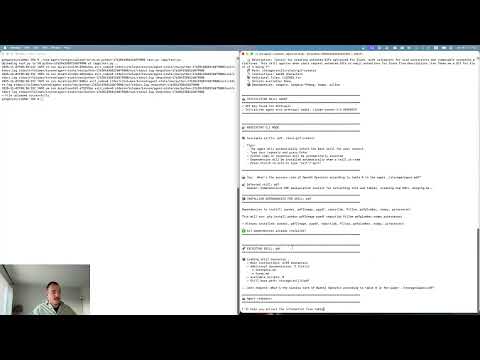
A demo video showing how to install and use the CLI tool is available in the era-agent directory. This video includes:
- Installing dependencies and compiling CLI tools
- Creating and accessing local VMs
- Running code and agents via commands or scripts
- Uploading and downloading files to/from VM
# create a long-running VM
agent vm create --language python --cpu 1 --mem 256 --network allow_all

# run something inside it
agent vm exec --vm <id> --cmd "python -c 'print(\"hi\")'"

# ephemeral one-off execution
agent vm temp --language javascript --cmd "node -e 'console.log(42)'"

# inspect / cleanup
agent vm list
agent vm stop --all
agent vm clean --all
Supported --language Value: python, javascript,node,typescript, go, rubyoverride base image --image If you need custom runtime.
⚙ Configuration Highlights
AGENT_STATE_DIR:Writable directory for VM metadata, crunvm state, and buildah storage. The MacOS setup script prints the correct export.AGENT_LOG_LEVEL,debug|info|warn|error) AndAGENT_LOG_FILE: Control logging.AGENT_ENABLE_GUEST_VOLUMES=1:reenable/in,/out,/persistMount for advanced workflow.
See era-agent/README.md for each tunable.
cd era-agent
make agent
./agent vm temp --language python --cmd "python -c 'print(\"Smoke test\")'"
Integration helper and sample recipes live below examples/, recipes/And docs/,
To deploy ERA as a Cloudflare worker with durable object-backed sessions and HTTP API:
- Follow Cloudflare/README.md for setup, local Wrangler dev, and deployment.
- Worker reuses the same Go Agent primitives but adds session orchestration, package caching, and REST endpoints.
Apache 2.0
<a href