Published: 2025-11-15, Revised: 2025-11-15

TL;DR run apt upgrade Hosts with rootless Docker services can break them. A version mismatch occurs between the running user daemon and the newly upgraded system binaries, causing containers to fail to restart. This post provides a convenient playbook that detects critical package changes and automatically restarts only the necessary rootless user daemons, preventing downtime and manual intervention.
Information
This playbook is the result of a deep dive into a specific failure mode of the rootless Docker architecture. For reference on initial setup, please see my previous post on setting up rootless Docker for services like Mastodon.
Inspiration
As explained in my rootless Docker setup guide, this architecture provides quite good security isolation. However, it has one vulnerability: when the system package provided by docker-ce-rootless-extras (Like containerd and its shims) have been upgraded through aptThe running user-level Docker daemons are out of date.
This causes version mismatch. When a container is restarted, the old daemon tries to use the new on-disk shim, which causes a fatal error (for example) unsupported shim version (3): not implementedThe solution is to restart the user’s Docker daemon after every significant update, which is an ideal task for automation via ansible.
Ansible Playbook
This playbook automates the entire update and repair process. It is designed to run daily via a cron job, remaining silent until it needs to take action.
Playbook: apt.yaml
Click to view
---
- hosts: ubuntu, debian
become: yes
become_method: sudo

vars:
    ansible_pipelining: true
    ansible_ssh_common_args: '-o ControlMaster=auto -o ControlPersist=60s'
    # This forces Ansible to use /tmp for its temporary files, avoiding
    # any permission issues when becoming a non-root user.
    ansible_remote_tmp: /tmp
    # critical package that require a docker restart
    critical_docker_packages:
    - docker-ce
    - docker-ce-cli
    - containerd.io
    - docker-ce-rootless-extras
    - docker-buildx-plugin
    - docker-compose-plugin
    - systemd

tasks:
    - name: Ensure en_US.UTF-8 locale is present on target hosts
    ansible.builtin.locale_gen:
        name: en_US.UTF-8
        state: present
    # We only run this once per host, not for every user
    run_once: true

    - name: "Update cache & Full system update"
    ansible.builtin.apt:
        update_cache: true
        upgrade: dist
        cache_valid_time: 3600
        force_apt_get: true
        autoremove: true
        autoclean: true
    environment:
        NEEDRESTART_MODE: automatically
    register: apt_result
    changed_when: "'0 upgraded, 0 newly installed, 0 to remove' not in apt_result.stdout"
    no_log: true

    - name: Report on any packages that were kept back
    ansible.builtin.debug:
        msg: "WARNING: Packages were kept back on  lingered_users_find.files . Manual review may be needed. Output:  service_checks.results "
    when:
        - apt_result.changed
        - "'packages have been kept back' in apt_result.stdout"

    - name: Find all users with lingering enabled
    ansible.builtin.find:
        paths: /var/lib/systemd/linger
        file_type: file
    register: lingered_users_find
    when:
        - apt_result.changed
        # This checks if any of the critical package names appear in the apt output
        - critical_docker_packages | select('in', apt_result.stdout) | list | length > 0
    no_log: true

    - name: Create a list of lingered usernames
    ansible.builtin.set_fact:
        lingered_usernames: " map(attribute='item') "
    when: lingered_users_find.matched is defined and lingered_users_find.matched > 0
    no_log: true

    - name: Check for existence of rootless Docker service for each user
    ansible.builtin.systemd:
        name: docker
        scope: user
    become: true
    become_user: "{ selectattr('status.LoadState', '!=', 'not-found') }"
    loop: "{{ lingered_usernames }}"
    when: lingered_usernames is defined and lingered_usernames | length > 0
    register: service_checks
    ignore_errors: true
    no_log: true

    - name: Identify which services were actually found
    ansible.builtin.set_fact:
        restart_list: "{{ service_checks.results | selectattr('status.LoadState', 'defined') | selectattr('status.LoadState', '!=', 'not-found') | map(attribute='item') | list }}"
    when: lingered_usernames is defined and lingered_usernames | length > 0
    no_log: true

    - name: Restart existing rootless Docker daemons
    ansible.builtin.systemd:
        name: docker
        state: restarted
        scope: user
    become: true
    become_user: "{{ item }}"
    loop: "{{ restart_list }}"
    when: restart_list is defined and restart_list | length > 0
    register: restart_results
    changed_when: false
    no_log: true

    - name: Report on restarted services
    ansible.builtin.debug:
        msg: "Successfully restarted rootless Docker daemon for user '{{ item.item }}'."
    loop: "{{ restart_results.results }}"
    when:
        - restart_list is defined and restart_list | length > 0
        - item.changed

    - name: Check if reboot required
    ansible.builtin.stat:
        path: /var/run/reboot-required
    register: reboot_required_file

    - name: Reboot if required
    ansible.builtin.reboot:
    when: reboot_required_file.stat.exists == true
layout: ansible.cfg
For cleaner output, update your ansible.cfg,
[defaults]
stdout_callback = yaml
display_skipped_hosts = no
display_ok_hosts = no
summary of tasks
PlayBook is designed to be relatively intelligent and robust:
- Update Package: complete works
apt dist-upgrade, - Check changes: Determine if there is a package In fact Changed.
- Check severity: If there have been changes, check if any packages are in
critical_docker_packagesList. - Find Target: Only if there has been an important package update, proceed to find users who have rootless services enabled
systemd-linger, - Act selectively: Checks which of those users actually runs a
docker.serviceAnd restart only those specific daemons. - summary report: The script is silent by default. It prints only a one-line report for each daemon restarted or if it detects one.
aptImportant packages have been held back.
Result
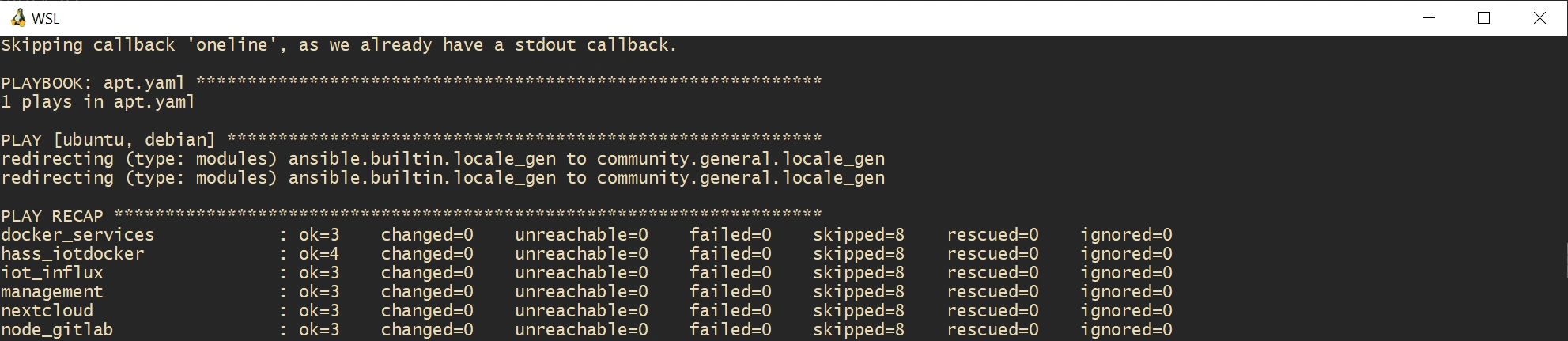
On days when there is no relevant change, the output is minimum:
PLAY RECAP *********************************************************************
docker_services            : ok=3    changed=0    unreachable=0    failed=0    skipped=8    rescued=0    ignored=0
hass_iotdocker             : ok=4    changed=0    unreachable=0    failed=0    skipped=8    rescued=0    ignored=0
...
On another day when the Docker package is updated, this is what it reports when the Docker daemon restarts:
TASK [Report on restarted services] ********************************************
ok: [docker_services] => (item=...) => {
    "msg": "Successfully restarted rootless Docker daemon for user 'mastodon'."
}
...
It’s a small automation, but it prevents a serious vulnerability (which affected me recently..).
Answerable Workflow
For security and ease of management, I run Ansible from a dedicated management VM in my local network This host contains the Ansible installation, playbook files, and a list of servers to manage.
This setup allows me to trigger multi-host updates with a single command from anywhere.
store
The heart of the setup is the inventory file (inventories/hosts), which tells Ansible which server to target.
# /srv/ansible/inventories/hosts

[ubuntu]
# Local network VMs
hass_iotdocker ansible_host=192.168.60.15
nextcloud ansible_host=192.168.40.22
node_gitlab ansible_host=192.168.70.11
docker_services ansible_host=192.168.40.81

# A public cloud VM that requires a specific user to connect
aws_vm ansible_host=130.61.20.105 ansible_user=ubuntu

[debian]
iot_influx ansible_host=192.168.60.34
# The management host targets itself to stay updated
management ansible_host=localhost

[all:vars]
# Explicitly set the python interpreter for compatibility
ansible_python_interpreter=/usr/bin/python3
Authentication via ssh agent forwarding
An important part of this workflow is authentication. I use SSH agent forwarding instead of storing my private keys on the management host.
connecting to the management host ssh -AI allow Ansible to securely use my local machine’s SSH agent keys for the duration of the connection. Of course, this means that you have to ensure that your management host is appropriately protected and isolated.
run playbook
To make this a daily one-liner, I use an alias in my local machine’s shell configuration (~/.bashrc Or ~/.zshrc,
alias daily='ssh -A alex@management.host.ip "sh /srv/ansible/update.sh"'
update.sh The script on the management host is a simple wrapper that makes sure the playbook runs from the correct directory:
#!/bin/sh

# Purpose: CD into local directory of script
# and run Ansible playbook with local configuration

SCRIPT=$(readlink -f "$0")
SCRIPTPATH=$(dirname "$SCRIPT")

cd "$SCRIPTPATH" || exit
/root/.local/bin/ansible-playbook -vv "apt.yaml"
This setup means I can type daily In my local terminal, and my entire fleet of VMs (local and public) will be updated.
Here is a simple diagram of the flow:
+--------------+      +--------------------+      +-----------------+
|              |      |                    |      |                 |
|    Laptop    |----->|  Management Host   |----->|   Target VMs    |
| (SSH Agent)  |      | (Ansible + Playb.) |      |(nextcloud, etc.)|
+--------------+      +--------------------+      +-----------------+
      |                     |
      | ssh -A alex@...     | ansible-playbook ...
      +---------------------+
of change
2025-11-15